
|
Do it yourself
| |||
| ||||


How to Reset the Service Light on the Nissan NV200
Model: Nissan Nv200
MK 1
- Years 2009-2024
If you own a Nissan NV200 and want to know how to manually reset the service light, the following guide is all you need. First, get into the car and reach the driver's seat, then insert the key and switch on the instrument panel. Scroll down using the directional buttons and select the "Maintenance" option. Next, select "Service" and then "Reset". Confirm the manual reset of the light and a few moments later, the procedure will be complete. Turn off the instrument panel and you're done.
Posted on 29 April 2026 by ScegliAuto
Video tutorial
Related tutorials
Nissan Nv200
(2009-2024 /
MK 1)
Following these simple steps, we will see how to reset the service light for the regular maintenance of the engine oil change in the Nissan NV200. Fi…

Nissan Nv200
(2009-2024 /
MK 1)
When the service light activates on the dashboard and onboard computer of the Nissan NV200, you need to go to an authorised workshop to complete the …

Nissan Nv200
(2009-2024 /
MK 1)
Today, you will learn how to reset the service light related to the car service on a Nissan Nv200 vehicle. To reset the light, you need to turn on th…
Other guides you may be interested in
|
How to Replace the External Wing Mirror on a Ford C MAX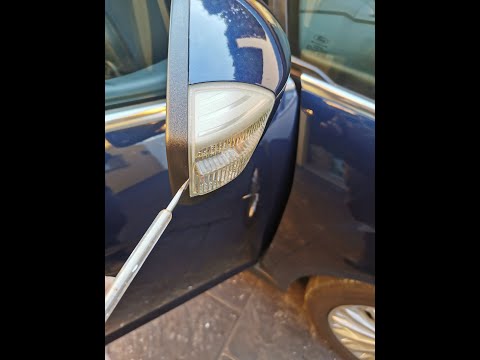
In the event of a breakage, it will be necessary to replace the external wing mirror on the 2011 Ford C MAX. This operation is easily performed independently. Start by removing the internal cover of the mirror with a plastic lever. Then, use a socket wrench to remove the securing pins. Once the pins are removed, you can take off the mirror, but not before disconnecting the power connectors. Then proceed to fit the new mirror. First, connect the connectors and then secure the mirror to its housing with the pins. Refit the plastic cover and test the operation of the electric mirror using the controls. by ScegliAuto More videos
|
|
For advertising on this site Write to info@scegliauto.com
ScegliAuto is not responsible for any inaccuracy of the data in the lists. To report any inaccuracy or your business (if you own the business in question), please write to info@scegliauto.com
Number of seconds to generate the page: 0.526
(c) ScegliAuto 2026 - info@scegliauto.com - Privacy policy VAT number: IT01247470535 |
