
|
Do it yourself
| |||
| ||||


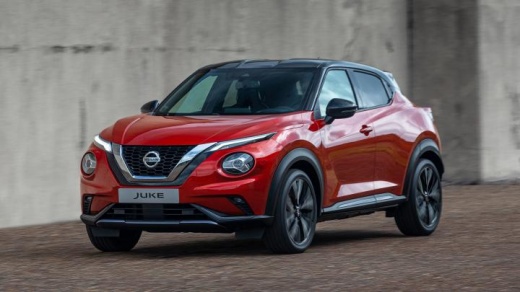
How to Change the Tyre Pressure Measurement Unit on a Nissan Juke
Model: Nissan Juke
MK 2
- Years:
2019, 2020, 2021, 2022, 2023, 2024, 2025, 2026
Video tutorial
To change the tyre pressure measurement unit on the Nissan Juke, access the instrument panel. Use the control panel to navigate the menu. Select "Settings", then "Tyre Pressure" and finally "Unit". You can choose between kPa, bar, kgf/cm², and PSI. Select the desired unit and confirm. The display will show the values in the new unit. kPa is the international measurement unit (kilopascal); bar is the unit used in the European Union, kgf/cm² (kilogram-force per square centimetre) is a unit used in Asia and Eastern Europe; PSI is the unit used in Anglo-Saxon countries. 1 bar = 100 kPa = 1.02 kgf/cm² = 14.5 PSI; 1 PSI = 6.9 kPa = 0.07 bar; 1 kgf/cm² = 98 kPa = 0.98 bar.
Posted on 8 September 2026 by ScegliAuto
Related tutorials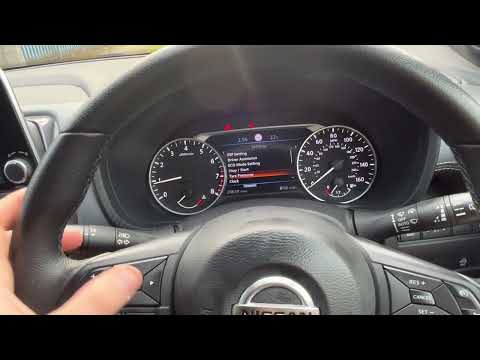
Nissan Juke
(2019-2026 /
MK 2)
When the load conditions of the Nissan Juke change, you must adjust the tyre pressure values accordingly: for reference, you will find a label on the…

Nissan Juke
(2010-2019 /
MK 1)
The tyre pressure of the Nissan Juke must be adjusted according to the parameters indicated by the manufacturer. These parameters are found on a labe…

Nissan Juke
(2010-2019 /
MK 1)
The Nissan Juke contains an emergency kit for checking tire pressure. The kit is stored in the trunk under the carpet cover along with the spare tire…
Other guides you may be interested in |
How to Set the Time in an Audi A4?
In this tutorial, you will see how to set the time in an Audi A4, a very simple and quick operation to perform after replacing the battery or when the time changes. First, insert the key and turn on the instrument cluster. Then, press the "SETUP" button located on the center console. Next, press the upper left arrow button, navigate to the "Time" option, and use the central knob to adjust the clock. Finally, set any necessary formats and save by returning to the main screen. by ScegliAuto More videos
|
|
For advertising on this site Write to info@scegliauto.com
ScegliAuto is not responsible for any inaccuracy of the data in the lists. To report any inaccuracy or your business (if you own the business in question), please write to info@scegliauto.com
Number of seconds to generate the page: 0.013
(c) ScegliAuto 2026 - info@scegliauto.com - Privacy policy VAT number: IT01247470535 |
