
|
Do it yourself
| |||
| ||||


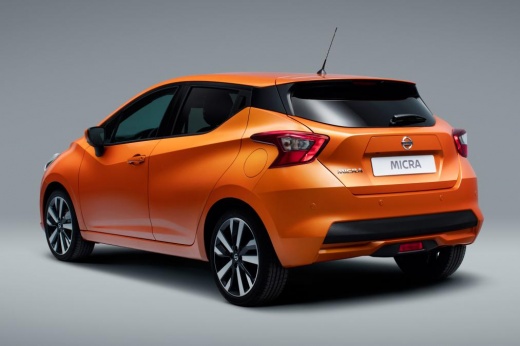
How to Program the Key of a Nissan Micra
Model: Nissan Micra
K14
- Years 2017-2024
Video tutorial
Detailed instructions - To program the key of a Nissan Micra, use a working key and the new one to be programmed. Get inside the vehicle and close all the doors. Hold the two keys next to each other, ensuring the remotes touch. Press and hold the unlock button on the already programmed key, and while holding it, press the unlock button on the new key. Keep the buttons pressed for a few seconds until the door locks close and reopen automatically, indicating that the system has recognised the new remote. Then release the buttons and move the keys away. Press the lock button on the new key to verify that the doors lock correctly and that the remote programming is complete.
Posted on 7 October 2026 by ScegliAuto
Related tutorials
Nissan Micra
(2010-2017 /
K13)
In this tutorial we can see how to program a remote control in the Nissan Micra, a very simple and quick operation. To do this, we will obviously nee…

Nissan Micra
(2010-2017 /
K13)
When the key of the Nissan Micra, Nissan Almera or Nissan Note stops working, it means that key reprogramming is necessary, especially if the issue i…

Nissan Micra
(2002-2010 /
K12)
The loss of a car key code can depend on various factors, such as a broken internal circuit or antenna, following a hit or other incident. This video…
Other guides you may be interested in
|
How to Set the Clock on a Toyota Yaris Cross
To adjust the clock on the Toyota Yaris Cross, start the car, press the button with the right arrow to navigate through the different screens; keep pressing until you reach a list, then press the "OK" button on the "clock" option; use the up or down arrow to set the desired hour, then scroll right to set the minutes and use the up or down arrow to select the desired minutes. Once the correct time is set, press the "OK" button, go back, and return to the main screen. Finally, turn off the car. by ScegliAuto More videos
|
|
For advertising on this site Write to info@scegliauto.com
ScegliAuto is not responsible for any inaccuracy of the data in the lists. To report any inaccuracy or your business (if you own the business in question), please write to info@scegliauto.com
Number of seconds to generate the page: 0.115
(c) ScegliAuto 2026 - info@scegliauto.com - Privacy policy VAT number: IT01247470535 |
