
|
Do it yourself
| |||
| ||||


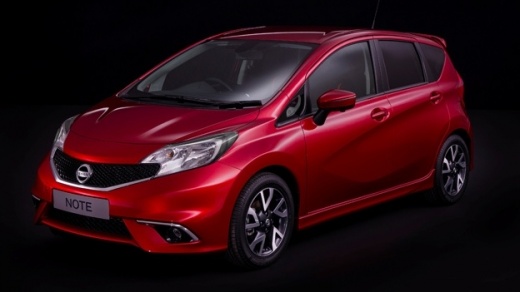
How to Reset the Service Light on a Nissan Note?
Model: Nissan Note
- Years:
2012, 2013, 2014, 2015, 2016, 2017, 2018, 2019, 2020, 2021, 2022
Video tutorial
In this tutorial, see how to reset the service light on a Nissan Note, a very simple and quick operation to perform only after completing all scheduled maintenance tasks. First, enter the cabin, then insert the key and turn on the instrument panel. Next, press and hold the button on the right side of the dashboard, wait for the service interval to start flashing, and press the button again to adjust the mileage. To save the setting, just wait a few seconds and then restart the vehicle.
Posted on 22 October 2026 by ScegliAuto
Related tutorials
Nissan Note
(2004-2013 /
MK 1, E11)
As seen in this tutorial, resetting the service in a Nissan Note is an extremely simple and quick operation. Before proceeding, ensure all scheduled …

Nissan Note
(2012-2022 /
E12, MK 2)
In this tutorial, we can see how to reset the service in the Nissan Note, an extremely simple and quick operation, to be carried out only once all sc…

Nissan Note
(2012-2022 /
E12, MK 2)
In this tutorial, you will see how to reset the service light on the Nissan Note, a very simple and quick operation to perform only after completing …
Other guides you may be interested in
|
How to Open the Fuel Door on a BMW X5?
To open the fuel door on a BMW X5, you do not need to press any unlock button from inside the cabin. Simply leave the key in the ignition. This will allow you to exit the cabin and press the fuel door on its left side. This will unlock the fuel door mechanism, allowing access to the cap underneath. You can then unscrew the cap and refuel. To close the fuel door, just press it again on the left side. by ScegliAuto More videos
|
|
For advertising on this site Write to info@scegliauto.com
ScegliAuto is not responsible for any inaccuracy of the data in the lists. To report any inaccuracy or your business (if you own the business in question), please write to info@scegliauto.com
Number of seconds to generate the page: 0.006
(c) ScegliAuto 2026 - info@scegliauto.com - Privacy policy VAT number: IT01247470535 |
