
|
Do it yourself
| |||
| ||||



How to reset the service light on the Opel Mokka?
Model: Vauxhall Mokka
Mokka A
- Years:
2012, 2013, 2014, 2015, 2016, 2017, 2018, 2019
Video tutorial
In this tutorial, you will see how to reset the service light on the Opel Mokka, a very simple and quick operation to perform only after completing all required scheduled maintenance tasks. First, get inside the cabin, then insert the key and turn on the instrument panel. Next, press the "MENU" button on the left control stalk, navigate to the service screen using the directional knob, and perform the reset by pressing the "SET/CLR" button. Finally, restart the vehicle to complete the procedure.
Updated on 2 November 2026 by ScegliAuto
Related tutorials
Vauxhall Mokka
(2012-2019 /
Mokka A)
Today's instructions will show you how to reset the maintenance light for the engine oil change on an Opel Mokka. First, get inside the vehicle and t…

Vauxhall Mokka
(2020-2026 /
Mokka B)
In order to reset the Service light of the Opel Mokka, you need to press and hold the button located at the end of the lever on the left side of the …

Vauxhall Mokka
(2020-2026 /
Mokka B)
The following steps will show you how to reset the service light for the routine maintenance oil change on the Opel Mokka. First, get in the vehicle …
Other guides you may be interested in |
How to Activate the Disabled TRC on the Toyota Yaris?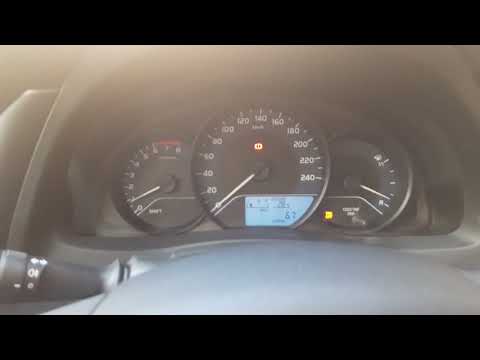
As the video clearly shows, disabling or activating the traction control (TRC or ESP) on the Toyota Yaris is very simple. By default, the traction system activates every time the vehicle is started. To disable it, simply press the button depicting a skidding car located in the centre of the vehicle where the controls are, such as the hazard lights and the radio, but near the handbrake. Once disabled, the TRC off light will illuminate on the dashboard. To reactivate it, just press the same button again. by ScegliAuto More videos
|
|
For advertising on this site Write to info@scegliauto.com
ScegliAuto is not responsible for any inaccuracy of the data in the lists. To report any inaccuracy or your business (if you own the business in question), please write to info@scegliauto.com
Number of seconds to generate the page: 0.086
(c) ScegliAuto 2026 - info@scegliauto.com - Privacy policy VAT number: IT01247470535 |
