
|
Do it yourself
| |||
| ||||


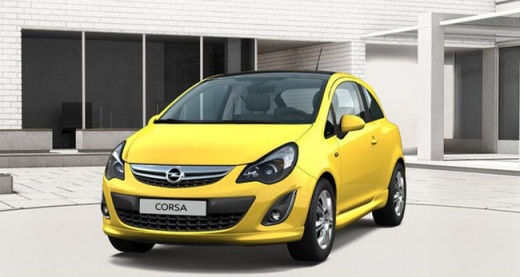
How to replace the bulb or rear light unit on the Opel Corsa D
Model: Vauxhall Corsa
Corsa D
- Years:
2006, 2007, 2008, 2009, 2010, 2011, 2012, 2013, 2014
Video tutorial
In this video we can see how to replace the light bulb, but if necessary also the entire rear light cluster, on an Opel Corsa version D: access to this component is easy, through the door located inside the trunk, corresponding to the external headlight. By opening the door, we can disconnect the electrical connector, and then remove the plastic screws that hold the headlight in its housing. Once removed, they allow us to pull out the headlight, from which we can then remove the rear cover in case we only need to change the bulbs inside. Unlike the youtuber, we remind you that bulbs should never be touched with bare hands, especially new ones, which would make their life much shorter. Following the same system in reverse, we will be able to reposition the light cluster in its place. Let's not forget to close the door.
Posted on 25 March 2025 by ScegliAuto
Related tutorials
Vauxhall Corsa
(2014-2019 /
Corsa E)
In the video in question, you can see the steps to follow to replace the bulb of a rear headlight of an Opel Corsa car. Open the trunk of the car and…

Vauxhall Corsa
(2014-2019 /
Corsa E)
In this video, we see how to replace the bulb of a rear headlight in an Opel Corsa car. First, open the trunk and locate the internal access panel of…

Vauxhall Corsa
(2014-2019 /
Corsa E)
If one of the bulbs of the front headlight of your Opel Corsa E (2015) suddenly stops working, you must replace it as soon as possible with a new one…
Other guides you may be interested in
|
How to Reset the AdBlue Warning Light on a Peugeot Boxer
To reset the AdBlue system on a 2018 Peugeot Boxer, follow these steps: Start the engine and ensure the vehicle is parked in a well-ventilated area. Locate the "MENU" button on the dashboard or steering wheel controls. Press and hold the "MENU" button until the menu options appear on the display. Use the arrow buttons or scroll wheel to access the "Vehicle Settings" or "Settings" menu. Select the "AdBlue" or "AdBlue System" option. Look for the "Recharge" or "Reset" option in the AdBlue menu. Once you find the reset option, select it and confirm your choice when prompted. The system will be reset, and a confirmation message may appear on the display. Turn off the engine and wait a few seconds. Restart the engine and check that the AdBlue system has been reset. by ScegliAuto More videos
|
|
For advertising on this site Write to info@scegliauto.com
ScegliAuto is not responsible for any inaccuracy of the data in the lists. To report any inaccuracy or your business (if you own the business in question), please write to info@scegliauto.com
Number of seconds to generate the page: 0.085
(c) ScegliAuto 2026 - info@scegliauto.com - Privacy policy VAT number: IT01247470535 |
