
|
Do it yourself
| |||
| ||||


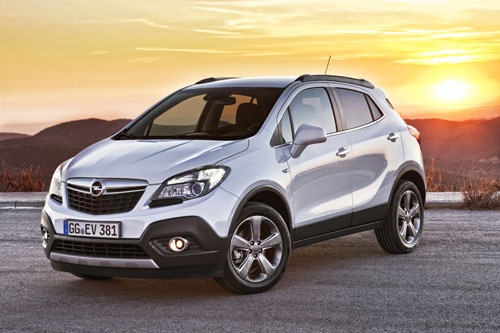
Installation of Chrome Lock Covers on Opel Mokka
Model: Vauxhall Mokka
Mokka A
- Years:
2012, 2013, 2014, 2015, 2016, 2017, 2018, 2019
This video is currently unavailable
If you want to give the interior of your car a more modern and appealing look, there are many aftermarket accessories available at very reasonable prices; in addition to classic LED lights, you can choose from carbon effect trims, leather gear knob covers with stitching, armrest pads, and finally, you can replace the lock covers with chrome caps; the replacement is extremely simple as you only need to unscrew the original cover and screw on the new chrome caps, repeating the process on all four doors.
Updated on 2 March 2026 by ScegliAuto
Related tutorials
Vauxhall Mokka
(2012-2019 /
Mokka A)
It will be possible to replace the handbrake button of the Opel Mokka by levering with an object, so that it is possible to completely detach the chr…

Vauxhall Mokka
(2012-2019 /
Mokka A)
In order to replace the handbrake button of the Opel Mokka, you need to pry with an object to completely remove the cover of the handbrake lever. Onc…

Vauxhall Mokka
(2012-2019 /
Mokka A)
Are the rear headlamp lights on your Opel Mokka not working anymore? This video shows how to replace the rear headlamp bulbs. Open the boot lid, and …
Other guides you may be interested in |
How to Reset the Tire Pressure Light on a MG ZS?
On the instrument cluster of the MG ZS, the tire pressure light that appears can be reset by inflating the tires to the correct pressure: this value will be indicated on the sticker attached to the driver's door pillar. Once the tires have been properly inflated, you can turn on the instrument cluster and navigate through the menu until you find the option that indicates tire pressure: if this screen shows the new values, the light will turn off; otherwise, you will need to drive for a few miles so that the sensors can read the new values and turn off the light afterward. by ScegliAuto More videos
|
|
For advertising on this site Write to info@scegliauto.com
ScegliAuto is not responsible for any inaccuracy of the data in the lists. To report any inaccuracy or your business (if you own the business in question), please write to info@scegliauto.com
Number of seconds to generate the page: 0.013
(c) ScegliAuto 2026 - info@scegliauto.com - Privacy policy VAT number: IT01247470535 |
