
|
Do it yourself
| |||
| ||||


How do you reset the Service light on the Opel Astra J?
Model: Vauxhall Astra
Astra J
- Years 2009-2016
From the instrument panel of the Opel Astra, it will be possible to make the Service light disappear by inserting the ignition key and turning it to activate the instrument panel. Once the instrument panel has been activated, it will be possible to press the MENU button located on the lever to the left of the steering wheel, moving inside with the arrows on the lever itself. Once the maintenance option is found, the SET/CLR button must be pressed: a confirmation message will appear. By selecting "Yes" always with the same buttons on the left lever, it will be possible to see that the light will be cleared.
Posted on 28 July 2025 by ScegliAuto
Video tutorial
Related tutorials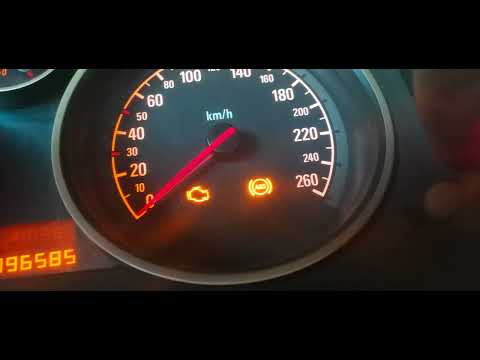
Vauxhall Astra
(2004-2010 /
Astra H)
In this new guide dedicated to your Opel Astra H, you will discover the steps to manually reset the "Insp" service light on the dashboard. First, ens…

Vauxhall Astra
(2009-2016 /
Astra J)
In this video we can see how to reset the service light on an Opel Astra version J: Like almost all cars, before resetting the service light, we must…

Vauxhall Astra
(1998-2006 /
Astra G)
Today we will explain how to reset the service light related to the annual car service on an Opel Astra model g. To reset the light, we need to turn …
Other guides you may be interested in
|
Frequently Asked QuestionsHow to Remove the Headrests from a Fiat Panda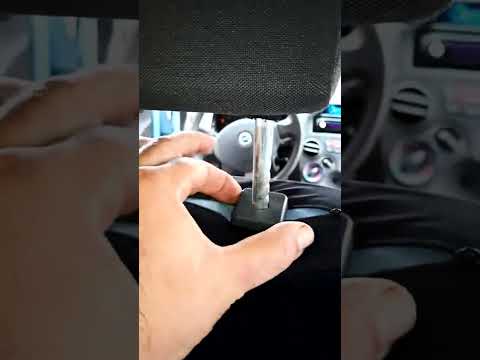
Below are the instructions to remove the headrests, both front and rear, from the Fiat Panda. First, get inside the vehicle and press and hold the side button located at the base of the headrest. Then, while holding the button, pull the headrest upwards to remove it, as shown in the video. At this point, perform the same operation on the other headrests. Now, simply insert them back in while holding the button, and finally adjust the height of all the headrests! by ScegliAuto More videos
|
|
For advertising on this site Write to info@scegliauto.com
ScegliAuto is not responsible for any inaccuracy of the data in the lists. To report any inaccuracy or your business (if you own the business in question), please write to info@scegliauto.com
Number of seconds to generate the page: 0.310
(c) ScegliAuto 2026 - info@scegliauto.com - Privacy policy VAT number: IT01247470535 |
