
|
Do it yourself
| |||
| ||||


How to Replace the Screen on an Opel/Vauxhall Astra K
Model: Vauxhall Astra
Astra K
- Years:
2015, 2016, 2017, 2018, 2019, 2020, 2021, 2022
Video tutorial
To change the screen on the Opel/Vauxhall Astra K, start by removing the frame around the screen: first the lower part, inserting a plastic lever between the frame and the dashboard and prying it off; it is held only by clips. Next, remove the silver frame around the vents; again, it is just clips. Once the frames are removed, you will uncover two 7 mm screws at the top of the display; unscrew them. Pull the display forward. It will still be held by side clips, so push the release tabs on the sides with a flat screwdriver. Carefully disconnect the rear connectors and replace the screen on the bench: open the casing and inside you will find the motherboard and the LCD screen; disconnect the flexible flat cable of the old screen, install the new one (AliExpress code 1005004740335255 for £77.69, with free shipping) and secure the connector. Position the motherboard in its slots, close the rear casing, and screw in all the T10 screws. Now go to the car and reconnect all the connectors to the display, insert it into its housing, screw in the two 7 mm screws, and reassemble the outer frames.
Posted on 15 July 2026 by ScegliAuto
Related tutorials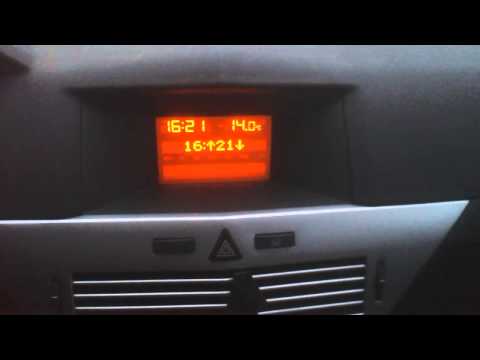
Vauxhall Astra
(2004-2010 /
Astra H)
Start by turning on the instrument cluster, which will automatically activate the stereo of the Opel Astra. Immediately turn off the stereo. Next, pr…
Vauxhall Astra
(2015-2022 /
Astra K)
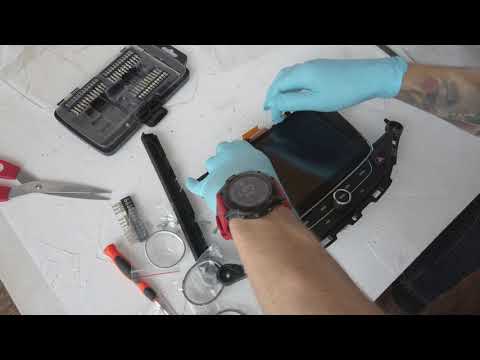
In this video tutorial, learn how to remove and replace the central display of the onboard computer on the Opel Astra in simple and quick steps. Firs…

Vauxhall Astra
(2009-2016 /
Astra J)
Vauxhall is simply the manufacturer Opel, which is recognised under this name in some countries. The Vauxhall Astra J in the video is therefore our w…
Other guides you may be interested in
|
Where are the fuses located on the Renault Laguna?
On the Renault Laguna, the fuses are located inside the fuse boxes installed in the vehicle: in this car model, you will find two boxes for containing the fuses. The first is in the fuse box on the left side of the dashboard, accessible by opening the driver's door: here you will find the fuses for the windscreen wipers, fog lights, horn, etc. The second box is located on the right side of the engine compartment: here you will find the fuses for the dipped headlights, radiator fan, alternator, etc. by ScegliAuto More videos
|
|
For advertising on this site Write to info@scegliauto.com
ScegliAuto is not responsible for any inaccuracy of the data in the lists. To report any inaccuracy or your business (if you own the business in question), please write to info@scegliauto.com
Number of seconds to generate the page: 0.019
(c) ScegliAuto 2026 - info@scegliauto.com - Privacy policy VAT number: IT01247470535 |
