
|
Do it yourself
| |||
| ||||


Vauxhall Astra - Onboard computerOnboard Computer Vauxhall Astra (2021-2028 / astra l) Vauxhall Astra (2021-2026 / Astral) How to Use the Head-up Display on Opel Astra "L" The Head-up Display (HUD) on the Opel Astra L projects information directly onto the windscreen, allowing you to keep your eyes on the road. To adjust the …Read all… Posted on 27 July 2026 by ScegliAuto  Vauxhall Astra (2015-2022 / Astrak) How to Replace the Screen on an Opel/Vauxhall Astra K To change the screen on the Opel/Vauxhall Astra K, start by removing the frame around the screen: first the lower part, inserting a plastic lever between the …Read all… Posted on 15 July 2026 by ScegliAuto  Vauxhall Astra (2009-2016 / Astraj) How to activate the cruise control system in the Opel Astra To activate the cruise control on an Opel Astra, start the engine and bring the vehicle to the desired speed, generally above 19 miles/h. On the left side of …Read all… Posted on 24 April 2026 by ScegliAuto  Vauxhall Astra (2009-2016 / Astraj) How to Change the Language on Opel Astra J with Vertical Navigation Let's see how to change the language on an Opel Astra J equipped with the "Head Style" infotainment system with a vertical screen. In this case, the operation …Read all… Posted on 21 April 2026 by ScegliAuto  Vauxhall Astra (2021-2026 / Astral) How to disable the Start & Stop system on Opel Astra. The system to deactivate the start & stop feature on the L version of the Opel Astra is really very simple. It’s an operation that can be done whether the …Read all… Posted on 31 December 2025 by ScegliAuto  Vauxhall Astra (2004-2010 / Astrah) How to change the date and time of the onboard computer of the Opel Astra H. Let's see how to change the date and time on the Opel Astra H: find and press the settings button, which usually has a gear icon, located below the radio …Read all… Posted on 2 November 2025 by ScegliAuto  Vauxhall Astra (2015-2022 / Astrak) How to replace the touchscreen of the Opel Astra K As we can see in the video, the flickering of the screen is a well-known and very common issue on this version of the Opel Astra K, so the most effective …Read all… Posted on 1 October 2025 by ScegliAuto  Vauxhall Astra (2015-2022 / Astrak) Application to monitor the status of our DPF on Opel Astra K In the video we see how the Screen2Auto application works on our Opel Astra K, which can be downloaded for free on our onboard computer and can help us …Read all… Posted on 23 September 2025 by ScegliAuto  Vauxhall Astra (2004-2010 / Astrah) How to change date and time on an Opel Astra H In this video, we see how to change the date and time on the on-board computer display of the Opel Astra H: the reference is to a car with the original radio, …Read all… Posted on 13 June 2025 by ScegliAuto  Vauxhall Astra (2004-2010 / Astrah) How to Change the Language of the Onboard Computer on the Opel Astra? To change the language of the onboard computer on the Opel Astra, first turn on the instrument cluster by inserting the ignition key into the corresponding …Read all… Posted on 8 November 2026 by ScegliAuto  Vauxhall Astra (2015-2022 / Astrak) How to Check the Tyre Pressure Status on an Opel Astra Knowing the tyre pressure status is an important maintenance task, especially before a car journey or when noticing something unusual with one of the wheels …Read all… Posted on 8 November 2026 by ScegliAuto  Vauxhall Astra (2009-2016 / Astraj) How to Access the Menu on the Opel Astra J Accessing the menu on the Opel Astra model J is a very simple and quick operation, from which you can do multiple things such as resetting maintenance lights …Read all… Posted on 8 November 2026 by ScegliAuto  Vauxhall Astra (2004-2010 / Astrah) How to Change the Time and Date on the Opel Astra H In this video, see how to change the time and date on the onboard computer of the Opel Astra H: operate from the control panel located at the centre of the …Read all… Posted on 4 November 2026 by ScegliAuto  Vauxhall Astra (2015-2022 / Astrak) How to Replace the Display in the Opel Astra? In this tutorial, you will see how to replace the display in the Opel Astra, a very simple and quick operation. First, ensure that the key is not inserted, …Read all… Posted on 9 October 2026 by ScegliAuto 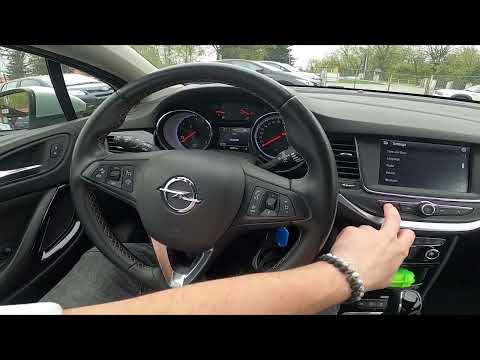 Vauxhall Astra (2015-2022 / Astrak) How to change the language on an Opel Astra To change the language of the system on an Opel Astra, it is a fairly simple operation; you can perform this procedure with just the instrument panel on or …Read all… Posted on 25 September 2026 by ScegliAuto 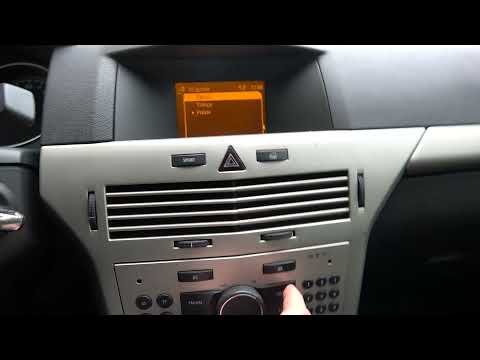 Vauxhall Astra (2004-2010 / Astrah) How to Change the Language of the Onboard Computer in the Opel Astra H To change the language settings of the onboard computer in the vehicle, follow these instructions: enter the cabin, and on the central console, you will find …Read all… Posted on 14 July 2026 by ScegliAuto 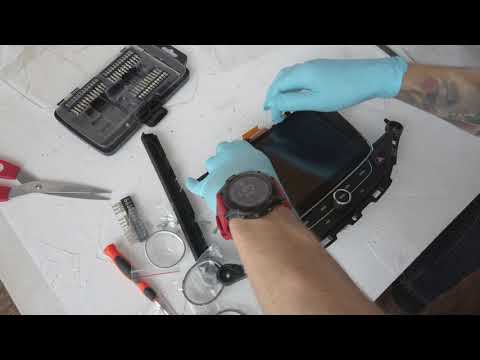 Vauxhall Astra (2015-2022 / Astrak) How to Replace the Central Display of the Onboard Computer on the Opel Astra In this video tutorial, learn how to remove and replace the central display of the onboard computer on the Opel Astra in simple and quick steps. First, get …Read all… Posted on 5 July 2026 by ScegliAuto  Vauxhall Astra (1998-2006 / Astrag) Removing the Central Console Display of Opel Astra G In this video tutorial, you will learn how to remove the central display of an Opel Astra G. First, get inside the car and remove the radio by taking off the …Read all… Posted on 19 May 2026 by ScegliAuto  Vauxhall Astra (2004-2010 / Astrah) Removing Centre Console Opel Astra H In this video, you will see how to remove the centre console from an Opel Astra H by following these simple steps. First, get inside the car and remove the …Read all… Posted on 1 May 2026 by ScegliAuto 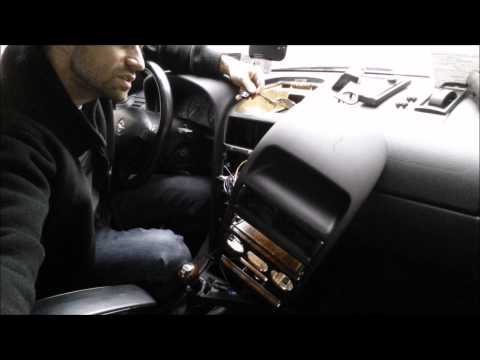 Vauxhall Astra (1998-2006 / Astrag) How to Remove the Onboard Computer from an Opel Astra How to remove the onboard computer from an Opel Astra? Follow these steps: Unscrew the screws inside the dashboard plastics using a screwdriver, then remove …Read all… Posted on 18 March 2026 by ScegliAuto  Vauxhall Astra (1998-2006 / Astrag) Instructions for Dismantling the Instrument Cluster To easily dismantle the instrument cluster, it is suggested to first remove the steering wheel to gain more working space; once the steering wheel is removed …Read all… Posted on 19 February 2026 by ScegliAuto  Vauxhall Astra (2004-2010 / Astrah) UNABLE TO VIEW THE VIDEO UNABLE TO VIEW THE VIDEO UNABLE TO VIEW THE VIDEO UNABLE TO VIEW THE VIDEO UNABLE TO VIEW THE VIDEO UNABLE TO VIEW THE VIDEO UNABLE TO VIEW THE VIDEO UNABLE TO …Read all… Posted on 11 February 2026 by ScegliAuto 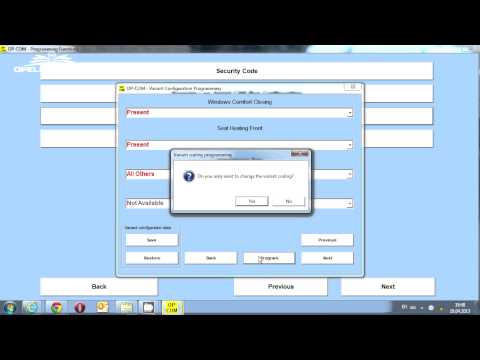 Vauxhall Astra (2004-2010 / Astrah) Remote Window Closing Programming To programme the opening and closing of the windows remotely with the remote control, you need to have the official Opel diagnostic tool (known as OP-COM) and …Read all… Posted on 11 February 2026 by ScegliAuto 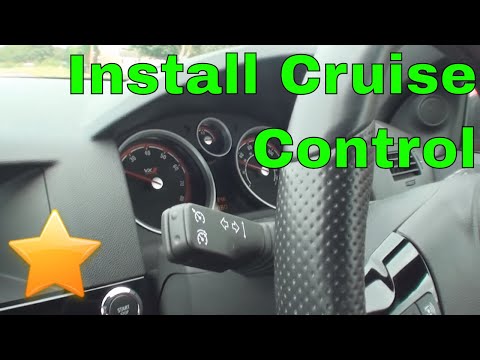 Vauxhall Astra (2004-2010 / Astrah) Cruise Control Installation All Opel Astra H models are pre-equipped for cruise control installation: simply install the stalk switch with the activation button and then configure it …Read all… Posted on 9 February 2026 by ScegliAuto  Vauxhall Astra (2004-2010 / Astrah) Onboard Computer Installation Instructions Position the onboard computer display at the top of the centre console by connecting the relevant plug and screwing in the side fixing screws. Then, apply the …Read all… Posted on 8 February 2026 by ScegliAuto 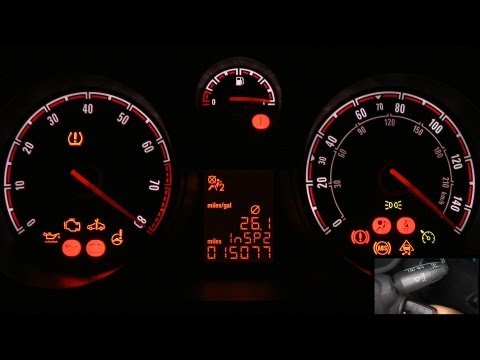 Vauxhall Astra (2004-2010 / Astrah) Access and View Information on the On-Board Computer To reset and access the information on the on-board computer, perform the following steps. Turn the ignition key to the start position to power up the …Read all… Posted on 5 February 2026 by ScegliAuto Onboard Computer Vauxhall Astra (2015-2022 / astra k)
Vauxhall Astra (2021-2026 / Astral)How to Use the Head-up Display on Opel Astra "L" The Head-up Display (HUD) on the Opel Astra L projects information directly onto the windscreen, allowing you to keep your eyes on the road. To adjust the …Read all… Posted on 27 July 2026 by ScegliAuto
Vauxhall Astra (2015-2022 / Astrak)How to Replace the Screen on an Opel/Vauxhall Astra K To change the screen on the Opel/Vauxhall Astra K, start by removing the frame around the screen: first the lower part, inserting a plastic lever between the …Read all… Posted on 15 July 2026 by ScegliAuto
Vauxhall Astra (2009-2016 / Astraj)How to activate the cruise control system in the Opel Astra To activate the cruise control on an Opel Astra, start the engine and bring the vehicle to the desired speed, generally above 19 miles/h. On the left side of …Read all… Posted on 24 April 2026 by ScegliAuto
Vauxhall Astra (2009-2016 / Astraj)How to Change the Language on Opel Astra J with Vertical Navigation Let's see how to change the language on an Opel Astra J equipped with the "Head Style" infotainment system with a vertical screen. In this case, the operation …Read all… Posted on 21 April 2026 by ScegliAuto
Vauxhall Astra (2021-2026 / Astral)How to disable the Start & Stop system on Opel Astra. The system to deactivate the start & stop feature on the L version of the Opel Astra is really very simple. It’s an operation that can be done whether the …Read all… Posted on 31 December 2025 by ScegliAuto
Vauxhall Astra (2004-2010 / Astrah)How to change the date and time of the onboard computer of the Opel Astra H. Let's see how to change the date and time on the Opel Astra H: find and press the settings button, which usually has a gear icon, located below the radio …Read all… Posted on 2 November 2025 by ScegliAuto
Vauxhall Astra (2015-2022 / Astrak)How to replace the touchscreen of the Opel Astra K As we can see in the video, the flickering of the screen is a well-known and very common issue on this version of the Opel Astra K, so the most effective …Read all… Posted on 1 October 2025 by ScegliAuto
Vauxhall Astra (2015-2022 / Astrak)Application to monitor the status of our DPF on Opel Astra K In the video we see how the Screen2Auto application works on our Opel Astra K, which can be downloaded for free on our onboard computer and can help us …Read all… Posted on 23 September 2025 by ScegliAuto
Vauxhall Astra (2004-2010 / Astrah)How to change date and time on an Opel Astra H In this video, we see how to change the date and time on the on-board computer display of the Opel Astra H: the reference is to a car with the original radio, …Read all… Posted on 13 June 2025 by ScegliAuto
Vauxhall Astra (2004-2010 / Astrah)How to Change the Language of the Onboard Computer on the Opel Astra? To change the language of the onboard computer on the Opel Astra, first turn on the instrument cluster by inserting the ignition key into the corresponding …Read all… Posted on 8 November 2026 by ScegliAuto
Vauxhall Astra (2015-2022 / Astrak)How to Check the Tyre Pressure Status on an Opel Astra Knowing the tyre pressure status is an important maintenance task, especially before a car journey or when noticing something unusual with one of the wheels …Read all… Posted on 8 November 2026 by ScegliAuto
Vauxhall Astra (2009-2016 / Astraj)How to Access the Menu on the Opel Astra J Accessing the menu on the Opel Astra model J is a very simple and quick operation, from which you can do multiple things such as resetting maintenance lights …Read all… Posted on 8 November 2026 by ScegliAuto
Vauxhall Astra (2004-2010 / Astrah)How to Change the Time and Date on the Opel Astra H In this video, see how to change the time and date on the onboard computer of the Opel Astra H: operate from the control panel located at the centre of the …Read all… Posted on 4 November 2026 by ScegliAuto
Vauxhall Astra (2015-2022 / Astrak)How to Replace the Display in the Opel Astra? In this tutorial, you will see how to replace the display in the Opel Astra, a very simple and quick operation. First, ensure that the key is not inserted, …Read all… Posted on 9 October 2026 by ScegliAuto
Vauxhall Astra (2015-2022 / Astrak)How to change the language on an Opel Astra To change the language of the system on an Opel Astra, it is a fairly simple operation; you can perform this procedure with just the instrument panel on or …Read all… Posted on 25 September 2026 by ScegliAuto
Vauxhall Astra (2004-2010 / Astrah)How to Change the Language of the Onboard Computer in the Opel Astra H To change the language settings of the onboard computer in the vehicle, follow these instructions: enter the cabin, and on the central console, you will find …Read all… Posted on 14 July 2026 by ScegliAuto
Vauxhall Astra (2015-2022 / Astrak)How to Replace the Central Display of the Onboard Computer on the Opel Astra In this video tutorial, learn how to remove and replace the central display of the onboard computer on the Opel Astra in simple and quick steps. First, get …Read all… Posted on 5 July 2026 by ScegliAuto
Vauxhall Astra (1998-2006 / Astrag)Removing the Central Console Display of Opel Astra G In this video tutorial, you will learn how to remove the central display of an Opel Astra G. First, get inside the car and remove the radio by taking off the …Read all… Posted on 19 May 2026 by ScegliAuto
Vauxhall Astra (2004-2010 / Astrah)Removing Centre Console Opel Astra H In this video, you will see how to remove the centre console from an Opel Astra H by following these simple steps. First, get inside the car and remove the …Read all… Posted on 1 May 2026 by ScegliAuto
Vauxhall Astra (1998-2006 / Astrag)How to Remove the Onboard Computer from an Opel Astra How to remove the onboard computer from an Opel Astra? Follow these steps: Unscrew the screws inside the dashboard plastics using a screwdriver, then remove …Read all… Posted on 18 March 2026 by ScegliAuto
Vauxhall Astra (1998-2006 / Astrag)Instructions for Dismantling the Instrument Cluster To easily dismantle the instrument cluster, it is suggested to first remove the steering wheel to gain more working space; once the steering wheel is removed …Read all… Posted on 19 February 2026 by ScegliAuto
Vauxhall Astra (2004-2010 / Astrah)UNABLE TO VIEW THE VIDEO UNABLE TO VIEW THE VIDEO UNABLE TO VIEW THE VIDEO UNABLE TO VIEW THE VIDEO UNABLE TO VIEW THE VIDEO UNABLE TO VIEW THE VIDEO UNABLE TO VIEW THE VIDEO UNABLE TO …Read all… Posted on 11 February 2026 by ScegliAuto
Vauxhall Astra (2004-2010 / Astrah)Remote Window Closing Programming To programme the opening and closing of the windows remotely with the remote control, you need to have the official Opel diagnostic tool (known as OP-COM) and …Read all… Posted on 11 February 2026 by ScegliAuto
Vauxhall Astra (2004-2010 / Astrah)Cruise Control Installation All Opel Astra H models are pre-equipped for cruise control installation: simply install the stalk switch with the activation button and then configure it …Read all… Posted on 9 February 2026 by ScegliAuto
Vauxhall Astra (2004-2010 / Astrah)Onboard Computer Installation Instructions Position the onboard computer display at the top of the centre console by connecting the relevant plug and screwing in the side fixing screws. Then, apply the …Read all… Posted on 8 February 2026 by ScegliAuto
Vauxhall Astra (2004-2010 / Astrah)Access and View Information on the On-Board Computer To reset and access the information on the on-board computer, perform the following steps. Turn the ignition key to the start position to power up the …Read all… Posted on 5 February 2026 by ScegliAuto Onboard Computer Vauxhall Astra (2009-2016 / astra j)
Vauxhall Astra (2021-2026 / Astral)How to Use the Head-up Display on Opel Astra "L" The Head-up Display (HUD) on the Opel Astra L projects information directly onto the windscreen, allowing you to keep your eyes on the road. To adjust the …Read all… Posted on 27 July 2026 by ScegliAuto
Vauxhall Astra (2015-2022 / Astrak)How to Replace the Screen on an Opel/Vauxhall Astra K To change the screen on the Opel/Vauxhall Astra K, start by removing the frame around the screen: first the lower part, inserting a plastic lever between the …Read all… Posted on 15 July 2026 by ScegliAuto
Vauxhall Astra (2009-2016 / Astraj)How to activate the cruise control system in the Opel Astra To activate the cruise control on an Opel Astra, start the engine and bring the vehicle to the desired speed, generally above 19 miles/h. On the left side of …Read all… Posted on 24 April 2026 by ScegliAuto
Vauxhall Astra (2009-2016 / Astraj)How to Change the Language on Opel Astra J with Vertical Navigation Let's see how to change the language on an Opel Astra J equipped with the "Head Style" infotainment system with a vertical screen. In this case, the operation …Read all… Posted on 21 April 2026 by ScegliAuto
Vauxhall Astra (2021-2026 / Astral)How to disable the Start & Stop system on Opel Astra. The system to deactivate the start & stop feature on the L version of the Opel Astra is really very simple. It’s an operation that can be done whether the …Read all… Posted on 31 December 2025 by ScegliAuto
Vauxhall Astra (2004-2010 / Astrah)How to change the date and time of the onboard computer of the Opel Astra H. Let's see how to change the date and time on the Opel Astra H: find and press the settings button, which usually has a gear icon, located below the radio …Read all… Posted on 2 November 2025 by ScegliAuto
Vauxhall Astra (2015-2022 / Astrak)How to replace the touchscreen of the Opel Astra K As we can see in the video, the flickering of the screen is a well-known and very common issue on this version of the Opel Astra K, so the most effective …Read all… Posted on 1 October 2025 by ScegliAuto
Vauxhall Astra (2015-2022 / Astrak)Application to monitor the status of our DPF on Opel Astra K In the video we see how the Screen2Auto application works on our Opel Astra K, which can be downloaded for free on our onboard computer and can help us …Read all… Posted on 23 September 2025 by ScegliAuto
Vauxhall Astra (2004-2010 / Astrah)How to change date and time on an Opel Astra H In this video, we see how to change the date and time on the on-board computer display of the Opel Astra H: the reference is to a car with the original radio, …Read all… Posted on 13 June 2025 by ScegliAuto
Vauxhall Astra (2004-2010 / Astrah)How to Change the Language of the Onboard Computer on the Opel Astra? To change the language of the onboard computer on the Opel Astra, first turn on the instrument cluster by inserting the ignition key into the corresponding …Read all… Posted on 8 November 2026 by ScegliAuto
Vauxhall Astra (2015-2022 / Astrak)How to Check the Tyre Pressure Status on an Opel Astra Knowing the tyre pressure status is an important maintenance task, especially before a car journey or when noticing something unusual with one of the wheels …Read all… Posted on 8 November 2026 by ScegliAuto
Vauxhall Astra (2009-2016 / Astraj)How to Access the Menu on the Opel Astra J Accessing the menu on the Opel Astra model J is a very simple and quick operation, from which you can do multiple things such as resetting maintenance lights …Read all… Posted on 8 November 2026 by ScegliAuto
Vauxhall Astra (2004-2010 / Astrah)How to Change the Time and Date on the Opel Astra H In this video, see how to change the time and date on the onboard computer of the Opel Astra H: operate from the control panel located at the centre of the …Read all… Posted on 4 November 2026 by ScegliAuto
Vauxhall Astra (2015-2022 / Astrak)How to Replace the Display in the Opel Astra? In this tutorial, you will see how to replace the display in the Opel Astra, a very simple and quick operation. First, ensure that the key is not inserted, …Read all… Posted on 9 October 2026 by ScegliAuto
Vauxhall Astra (2015-2022 / Astrak)How to change the language on an Opel Astra To change the language of the system on an Opel Astra, it is a fairly simple operation; you can perform this procedure with just the instrument panel on or …Read all… Posted on 25 September 2026 by ScegliAuto
Vauxhall Astra (2004-2010 / Astrah)How to Change the Language of the Onboard Computer in the Opel Astra H To change the language settings of the onboard computer in the vehicle, follow these instructions: enter the cabin, and on the central console, you will find …Read all… Posted on 14 July 2026 by ScegliAuto
Vauxhall Astra (2015-2022 / Astrak)How to Replace the Central Display of the Onboard Computer on the Opel Astra In this video tutorial, learn how to remove and replace the central display of the onboard computer on the Opel Astra in simple and quick steps. First, get …Read all… Posted on 5 July 2026 by ScegliAuto
Vauxhall Astra (1998-2006 / Astrag)Removing the Central Console Display of Opel Astra G In this video tutorial, you will learn how to remove the central display of an Opel Astra G. First, get inside the car and remove the radio by taking off the …Read all… Posted on 19 May 2026 by ScegliAuto
Vauxhall Astra (2004-2010 / Astrah)Removing Centre Console Opel Astra H In this video, you will see how to remove the centre console from an Opel Astra H by following these simple steps. First, get inside the car and remove the …Read all… Posted on 1 May 2026 by ScegliAuto
Vauxhall Astra (1998-2006 / Astrag)How to Remove the Onboard Computer from an Opel Astra How to remove the onboard computer from an Opel Astra? Follow these steps: Unscrew the screws inside the dashboard plastics using a screwdriver, then remove …Read all… Posted on 18 March 2026 by ScegliAuto
Vauxhall Astra (1998-2006 / Astrag)Instructions for Dismantling the Instrument Cluster To easily dismantle the instrument cluster, it is suggested to first remove the steering wheel to gain more working space; once the steering wheel is removed …Read all… Posted on 19 February 2026 by ScegliAuto
Vauxhall Astra (2004-2010 / Astrah)UNABLE TO VIEW THE VIDEO UNABLE TO VIEW THE VIDEO UNABLE TO VIEW THE VIDEO UNABLE TO VIEW THE VIDEO UNABLE TO VIEW THE VIDEO UNABLE TO VIEW THE VIDEO UNABLE TO VIEW THE VIDEO UNABLE TO …Read all… Posted on 11 February 2026 by ScegliAuto
Vauxhall Astra (2004-2010 / Astrah)Remote Window Closing Programming To programme the opening and closing of the windows remotely with the remote control, you need to have the official Opel diagnostic tool (known as OP-COM) and …Read all… Posted on 11 February 2026 by ScegliAuto
Vauxhall Astra (2004-2010 / Astrah)Cruise Control Installation All Opel Astra H models are pre-equipped for cruise control installation: simply install the stalk switch with the activation button and then configure it …Read all… Posted on 9 February 2026 by ScegliAuto
Vauxhall Astra (2004-2010 / Astrah)Onboard Computer Installation Instructions Position the onboard computer display at the top of the centre console by connecting the relevant plug and screwing in the side fixing screws. Then, apply the …Read all… Posted on 8 February 2026 by ScegliAuto
Vauxhall Astra (2004-2010 / Astrah)Access and View Information on the On-Board Computer To reset and access the information on the on-board computer, perform the following steps. Turn the ignition key to the start position to power up the …Read all… Posted on 5 February 2026 by ScegliAuto Onboard Computer Vauxhall Astra (2004-2010 / astra h)
Vauxhall Astra (2021-2026 / Astral)How to Use the Head-up Display on Opel Astra "L" The Head-up Display (HUD) on the Opel Astra L projects information directly onto the windscreen, allowing you to keep your eyes on the road. To adjust the …Read all… Posted on 27 July 2026 by ScegliAuto
Vauxhall Astra (2015-2022 / Astrak)How to Replace the Screen on an Opel/Vauxhall Astra K To change the screen on the Opel/Vauxhall Astra K, start by removing the frame around the screen: first the lower part, inserting a plastic lever between the …Read all… Posted on 15 July 2026 by ScegliAuto
Vauxhall Astra (2009-2016 / Astraj)How to activate the cruise control system in the Opel Astra To activate the cruise control on an Opel Astra, start the engine and bring the vehicle to the desired speed, generally above 19 miles/h. On the left side of …Read all… Posted on 24 April 2026 by ScegliAuto
Vauxhall Astra (2009-2016 / Astraj)How to Change the Language on Opel Astra J with Vertical Navigation Let's see how to change the language on an Opel Astra J equipped with the "Head Style" infotainment system with a vertical screen. In this case, the operation …Read all… Posted on 21 April 2026 by ScegliAuto
Vauxhall Astra (2021-2026 / Astral)How to disable the Start & Stop system on Opel Astra. The system to deactivate the start & stop feature on the L version of the Opel Astra is really very simple. It’s an operation that can be done whether the …Read all… Posted on 31 December 2025 by ScegliAuto
Vauxhall Astra (2004-2010 / Astrah)How to change the date and time of the onboard computer of the Opel Astra H. Let's see how to change the date and time on the Opel Astra H: find and press the settings button, which usually has a gear icon, located below the radio …Read all… Posted on 2 November 2025 by ScegliAuto
Vauxhall Astra (2015-2022 / Astrak)How to replace the touchscreen of the Opel Astra K As we can see in the video, the flickering of the screen is a well-known and very common issue on this version of the Opel Astra K, so the most effective …Read all… Posted on 1 October 2025 by ScegliAuto
Vauxhall Astra (2015-2022 / Astrak)Application to monitor the status of our DPF on Opel Astra K In the video we see how the Screen2Auto application works on our Opel Astra K, which can be downloaded for free on our onboard computer and can help us …Read all… Posted on 23 September 2025 by ScegliAuto
Vauxhall Astra (2004-2010 / Astrah)How to change date and time on an Opel Astra H In this video, we see how to change the date and time on the on-board computer display of the Opel Astra H: the reference is to a car with the original radio, …Read all… Posted on 13 June 2025 by ScegliAuto
Vauxhall Astra (2004-2010 / Astrah)How to Change the Language of the Onboard Computer on the Opel Astra? To change the language of the onboard computer on the Opel Astra, first turn on the instrument cluster by inserting the ignition key into the corresponding …Read all… Posted on 8 November 2026 by ScegliAuto
Vauxhall Astra (2015-2022 / Astrak)How to Check the Tyre Pressure Status on an Opel Astra Knowing the tyre pressure status is an important maintenance task, especially before a car journey or when noticing something unusual with one of the wheels …Read all… Posted on 8 November 2026 by ScegliAuto
Vauxhall Astra (2009-2016 / Astraj)How to Access the Menu on the Opel Astra J Accessing the menu on the Opel Astra model J is a very simple and quick operation, from which you can do multiple things such as resetting maintenance lights …Read all… Posted on 8 November 2026 by ScegliAuto
Vauxhall Astra (2004-2010 / Astrah)How to Change the Time and Date on the Opel Astra H In this video, see how to change the time and date on the onboard computer of the Opel Astra H: operate from the control panel located at the centre of the …Read all… Posted on 4 November 2026 by ScegliAuto
Vauxhall Astra (2015-2022 / Astrak)How to Replace the Display in the Opel Astra? In this tutorial, you will see how to replace the display in the Opel Astra, a very simple and quick operation. First, ensure that the key is not inserted, …Read all… Posted on 9 October 2026 by ScegliAuto
Vauxhall Astra (2015-2022 / Astrak)How to change the language on an Opel Astra To change the language of the system on an Opel Astra, it is a fairly simple operation; you can perform this procedure with just the instrument panel on or …Read all… Posted on 25 September 2026 by ScegliAuto
Vauxhall Astra (2004-2010 / Astrah)How to Change the Language of the Onboard Computer in the Opel Astra H To change the language settings of the onboard computer in the vehicle, follow these instructions: enter the cabin, and on the central console, you will find …Read all… Posted on 14 July 2026 by ScegliAuto
Vauxhall Astra (2015-2022 / Astrak)How to Replace the Central Display of the Onboard Computer on the Opel Astra In this video tutorial, learn how to remove and replace the central display of the onboard computer on the Opel Astra in simple and quick steps. First, get …Read all… Posted on 5 July 2026 by ScegliAuto
Vauxhall Astra (1998-2006 / Astrag)Removing the Central Console Display of Opel Astra G In this video tutorial, you will learn how to remove the central display of an Opel Astra G. First, get inside the car and remove the radio by taking off the …Read all… Posted on 19 May 2026 by ScegliAuto
Vauxhall Astra (2004-2010 / Astrah)Removing Centre Console Opel Astra H In this video, you will see how to remove the centre console from an Opel Astra H by following these simple steps. First, get inside the car and remove the …Read all… Posted on 1 May 2026 by ScegliAuto
Vauxhall Astra (1998-2006 / Astrag)How to Remove the Onboard Computer from an Opel Astra How to remove the onboard computer from an Opel Astra? Follow these steps: Unscrew the screws inside the dashboard plastics using a screwdriver, then remove …Read all… Posted on 18 March 2026 by ScegliAuto
Vauxhall Astra (1998-2006 / Astrag)Instructions for Dismantling the Instrument Cluster To easily dismantle the instrument cluster, it is suggested to first remove the steering wheel to gain more working space; once the steering wheel is removed …Read all… Posted on 19 February 2026 by ScegliAuto
Vauxhall Astra (2004-2010 / Astrah)UNABLE TO VIEW THE VIDEO UNABLE TO VIEW THE VIDEO UNABLE TO VIEW THE VIDEO UNABLE TO VIEW THE VIDEO UNABLE TO VIEW THE VIDEO UNABLE TO VIEW THE VIDEO UNABLE TO VIEW THE VIDEO UNABLE TO …Read all… Posted on 11 February 2026 by ScegliAuto
Vauxhall Astra (2004-2010 / Astrah)Remote Window Closing Programming To programme the opening and closing of the windows remotely with the remote control, you need to have the official Opel diagnostic tool (known as OP-COM) and …Read all… Posted on 11 February 2026 by ScegliAuto
Vauxhall Astra (2004-2010 / Astrah)Cruise Control Installation All Opel Astra H models are pre-equipped for cruise control installation: simply install the stalk switch with the activation button and then configure it …Read all… Posted on 9 February 2026 by ScegliAuto
Vauxhall Astra (2004-2010 / Astrah)Onboard Computer Installation Instructions Position the onboard computer display at the top of the centre console by connecting the relevant plug and screwing in the side fixing screws. Then, apply the …Read all… Posted on 8 February 2026 by ScegliAuto
Vauxhall Astra (2004-2010 / Astrah)Access and View Information on the On-Board Computer To reset and access the information on the on-board computer, perform the following steps. Turn the ignition key to the start position to power up the …Read all… Posted on 5 February 2026 by ScegliAuto Onboard Computer Vauxhall Astra (1998-2006 / astra g)
Vauxhall Astra (2021-2026 / Astral)How to Use the Head-up Display on Opel Astra "L" The Head-up Display (HUD) on the Opel Astra L projects information directly onto the windscreen, allowing you to keep your eyes on the road. To adjust the …Read all… Posted on 27 July 2026 by ScegliAuto
Vauxhall Astra (2015-2022 / Astrak)How to Replace the Screen on an Opel/Vauxhall Astra K To change the screen on the Opel/Vauxhall Astra K, start by removing the frame around the screen: first the lower part, inserting a plastic lever between the …Read all… Posted on 15 July 2026 by ScegliAuto
Vauxhall Astra (2009-2016 / Astraj)How to activate the cruise control system in the Opel Astra To activate the cruise control on an Opel Astra, start the engine and bring the vehicle to the desired speed, generally above 19 miles/h. On the left side of …Read all… Posted on 24 April 2026 by ScegliAuto
Vauxhall Astra (2009-2016 / Astraj)How to Change the Language on Opel Astra J with Vertical Navigation Let's see how to change the language on an Opel Astra J equipped with the "Head Style" infotainment system with a vertical screen. In this case, the operation …Read all… Posted on 21 April 2026 by ScegliAuto
Vauxhall Astra (2021-2026 / Astral)How to disable the Start & Stop system on Opel Astra. The system to deactivate the start & stop feature on the L version of the Opel Astra is really very simple. It’s an operation that can be done whether the …Read all… Posted on 31 December 2025 by ScegliAuto
Vauxhall Astra (2004-2010 / Astrah)How to change the date and time of the onboard computer of the Opel Astra H. Let's see how to change the date and time on the Opel Astra H: find and press the settings button, which usually has a gear icon, located below the radio …Read all… Posted on 2 November 2025 by ScegliAuto
Vauxhall Astra (2015-2022 / Astrak)How to replace the touchscreen of the Opel Astra K As we can see in the video, the flickering of the screen is a well-known and very common issue on this version of the Opel Astra K, so the most effective …Read all… Posted on 1 October 2025 by ScegliAuto
Vauxhall Astra (2015-2022 / Astrak)Application to monitor the status of our DPF on Opel Astra K In the video we see how the Screen2Auto application works on our Opel Astra K, which can be downloaded for free on our onboard computer and can help us …Read all… Posted on 23 September 2025 by ScegliAuto
Vauxhall Astra (2004-2010 / Astrah)How to change date and time on an Opel Astra H In this video, we see how to change the date and time on the on-board computer display of the Opel Astra H: the reference is to a car with the original radio, …Read all… Posted on 13 June 2025 by ScegliAuto
Vauxhall Astra (2004-2010 / Astrah)How to Change the Language of the Onboard Computer on the Opel Astra? To change the language of the onboard computer on the Opel Astra, first turn on the instrument cluster by inserting the ignition key into the corresponding …Read all… Posted on 8 November 2026 by ScegliAuto
Vauxhall Astra (2015-2022 / Astrak)How to Check the Tyre Pressure Status on an Opel Astra Knowing the tyre pressure status is an important maintenance task, especially before a car journey or when noticing something unusual with one of the wheels …Read all… Posted on 8 November 2026 by ScegliAuto
Vauxhall Astra (2009-2016 / Astraj)How to Access the Menu on the Opel Astra J Accessing the menu on the Opel Astra model J is a very simple and quick operation, from which you can do multiple things such as resetting maintenance lights …Read all… Posted on 8 November 2026 by ScegliAuto
Vauxhall Astra (2004-2010 / Astrah)How to Change the Time and Date on the Opel Astra H In this video, see how to change the time and date on the onboard computer of the Opel Astra H: operate from the control panel located at the centre of the …Read all… Posted on 4 November 2026 by ScegliAuto
Vauxhall Astra (2015-2022 / Astrak)How to Replace the Display in the Opel Astra? In this tutorial, you will see how to replace the display in the Opel Astra, a very simple and quick operation. First, ensure that the key is not inserted, …Read all… Posted on 9 October 2026 by ScegliAuto
Vauxhall Astra (2015-2022 / Astrak)How to change the language on an Opel Astra To change the language of the system on an Opel Astra, it is a fairly simple operation; you can perform this procedure with just the instrument panel on or …Read all… Posted on 25 September 2026 by ScegliAuto
Vauxhall Astra (2004-2010 / Astrah)How to Change the Language of the Onboard Computer in the Opel Astra H To change the language settings of the onboard computer in the vehicle, follow these instructions: enter the cabin, and on the central console, you will find …Read all… Posted on 14 July 2026 by ScegliAuto
Vauxhall Astra (2015-2022 / Astrak)How to Replace the Central Display of the Onboard Computer on the Opel Astra In this video tutorial, learn how to remove and replace the central display of the onboard computer on the Opel Astra in simple and quick steps. First, get …Read all… Posted on 5 July 2026 by ScegliAuto
Vauxhall Astra (1998-2006 / Astrag)Removing the Central Console Display of Opel Astra G In this video tutorial, you will learn how to remove the central display of an Opel Astra G. First, get inside the car and remove the radio by taking off the …Read all… Posted on 19 May 2026 by ScegliAuto
Vauxhall Astra (2004-2010 / Astrah)Removing Centre Console Opel Astra H In this video, you will see how to remove the centre console from an Opel Astra H by following these simple steps. First, get inside the car and remove the …Read all… Posted on 1 May 2026 by ScegliAuto
Vauxhall Astra (1998-2006 / Astrag)How to Remove the Onboard Computer from an Opel Astra How to remove the onboard computer from an Opel Astra? Follow these steps: Unscrew the screws inside the dashboard plastics using a screwdriver, then remove …Read all… Posted on 18 March 2026 by ScegliAuto
Vauxhall Astra (1998-2006 / Astrag)Instructions for Dismantling the Instrument Cluster To easily dismantle the instrument cluster, it is suggested to first remove the steering wheel to gain more working space; once the steering wheel is removed …Read all… Posted on 19 February 2026 by ScegliAuto
Vauxhall Astra (2004-2010 / Astrah)UNABLE TO VIEW THE VIDEO UNABLE TO VIEW THE VIDEO UNABLE TO VIEW THE VIDEO UNABLE TO VIEW THE VIDEO UNABLE TO VIEW THE VIDEO UNABLE TO VIEW THE VIDEO UNABLE TO VIEW THE VIDEO UNABLE TO …Read all… Posted on 11 February 2026 by ScegliAuto
Vauxhall Astra (2004-2010 / Astrah)Remote Window Closing Programming To programme the opening and closing of the windows remotely with the remote control, you need to have the official Opel diagnostic tool (known as OP-COM) and …Read all… Posted on 11 February 2026 by ScegliAuto
Vauxhall Astra (2004-2010 / Astrah)Cruise Control Installation All Opel Astra H models are pre-equipped for cruise control installation: simply install the stalk switch with the activation button and then configure it …Read all… Posted on 9 February 2026 by ScegliAuto
Vauxhall Astra (2004-2010 / Astrah)Onboard Computer Installation Instructions Position the onboard computer display at the top of the centre console by connecting the relevant plug and screwing in the side fixing screws. Then, apply the …Read all… Posted on 8 February 2026 by ScegliAuto
Vauxhall Astra (2004-2010 / Astrah)Access and View Information on the On-Board Computer To reset and access the information on the on-board computer, perform the following steps. Turn the ignition key to the start position to power up the …Read all… Posted on 5 February 2026 by ScegliAuto (1) Cigarette lighter (1) Airbag (16) Alternator (7) Speaker (5) Shocks (7) Antenna (9) Air conditioning (9) Car stereo (55) Anti-roll bar (3) Roof rack bars (3) Battery (20) Ignition coil (4) Air vents (2) Control arm (6) Grille (1) Transmission (7) Spark plugs (13) Glow plugs (11) Body (19) Glove compartment (1) Control unit (7) Key (99) Trunk lock (2) Timing belt (36) V-belt (5) Air conditioner (1) A/C controls (4) Onboard computer (26) Checks and maintenance (93) Throttle body (5) Dashboard (16) Shifter boot (7) CV boot (1) Bearing (1) MAF sensor (3) Brake rotors (8) Rear bench seat (1) Side marker light (1) Headlight (25) Tail light (17) Fog lights (8) Diesel particulate filter (4) Air filter (31) Cabin air filter (41) Fuel filter (3) Diesel fuel filter (20) Oil filter (8) Parking brake (6) Clutch (9) Grille (1) Fuel injectors (4) Window switch (3) Reverse light switch (1) Accessory kit (12) Light bulb (12) Side marker bulb (6) Headlight bulb (67) Tail light bulb (30) Interior dome light bulb (9) Antifreeze coolant (4) Instrument panel light (2) License plate light (13) (3) Handle (6) Exhaust muffler (3) Engine (32) Starter motor (22) Transmission fluid (3) Engine oil (16) Power steering fluid (1) Clock (43) Door trim panel (40) Windshield (1) Front bumper (16) Rear bumper (10) Brake pads (14) Tires (6) Shift knob (26) Pump (8) Fuel pump (16) Car door (5) Push button (2) Power window switch (2) Instrument cluster (20) Radiator (12) Heater core (6) Heater control valve (1) Wheel (1) Fuse box (128) Seat (25) Axle shaft (2) Crankshaft position sensor (7) Engine coolant temperature sensor (7) Parking sensors (1) Door lock (7) Brake system (1) Oxygen sensor (3) Suspension system (4) Side mirror (28) Rearview mirror (1) Warning light – error code (58) Tire pressure warning light (62) Service warning light (211) Engine mount (2) Brake drums and shoes (2) Fuel cap (5) Windshield wipers (17) Thermostat (12) Cylinder head (5) Tie rods (1) Center console tunnel (2) Turbocharger (7) Windshield washer nozzle (1) Valve (4) EGR valve (28) Blower motor (7) Steering wheel (11) |
How to Open the Fuel Flap on a Volkswagen Tiguan?
To open the fuel flap on a Volkswagen Tiguan, first unlock the car using the appropriate button on the remote. This will open the car and unlock the mechanism that controls the fuel flap. At this point, apply light pressure to the left side of the flap to open it and access the cap underneath. Once this is unscrewed, you can refuel and then close everything. by ScegliAuto More videos
|
|
For advertising on this site Write to info@scegliauto.com
ScegliAuto is not responsible for any inaccuracy of the data in the lists. To report any inaccuracy or your business (if you own the business in question), please write to info@scegliauto.com
Number of seconds to generate the page: 0.056
(c) ScegliAuto 2026 - info@scegliauto.com - Privacy policy VAT number: IT01247470535 |
