
|
Do it yourself
| |||
| ||||


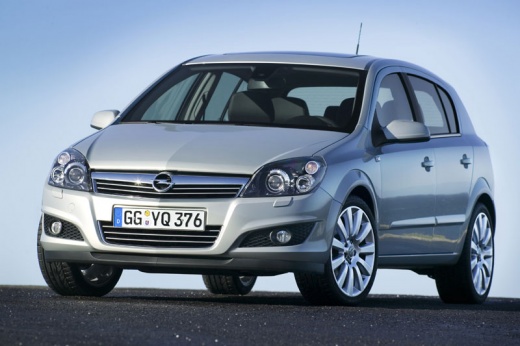
Onboard Computer Installation Instructions
Model: Vauxhall Astra
Astra H
- Years:
2004, 2005, 2006, 2007, 2008, 2009, 2010
Video tutorial
Position the onboard computer display at the top of the centre console by connecting the relevant plug and screwing in the side fixing screws. Then, apply the frame around the display, ensuring it adheres correctly and securing it with the central screw located at the bottom. Next, attach the complete centre console frame with the air vents and screw in the relevant fixing screws. Finally, connect the plugs to the climate control and radio controls and insert them into their respective slots. Turn on the ignition and check the functionality of all the newly installed elements.
Updated on 5 February 2026 by ScegliAuto
Related tutorials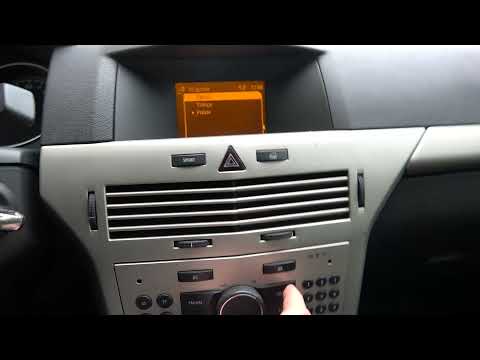
Vauxhall Astra
(2004-2010 /
Astra H)
To change the language settings of the onboard computer in the vehicle, follow these instructions: enter the cabin, and on the central console, you w…

Vauxhall Astra
(2004-2010 /
Astra H)
To completely reset the onboard computer of the Opel Astra, you will first need to turn on the instrument panel and then navigate to the menu that ap…
Vauxhall Astra
(1998-2006 /
Astra G)
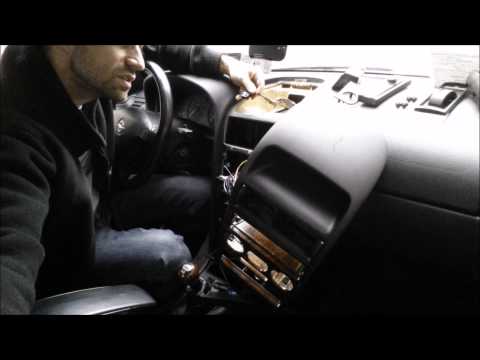
How to remove the onboard computer from an Opel Astra? Follow these steps: Unscrew the screws inside the dashboard plastics using a screwdriver, then…
Other guides you may be interested in
|
How to Remove the Toll Tag Holder from the Car Windscreen
The toll tag holder is usually attached to the car windscreen to ensure that the toll tag functions immediately when passing through barriers. However, if you decide to remove the holder, you should follow this procedure: - Insert the toll tag into the holder; - Pull the holder inwards to detach it from the windscreen; you can use a glass scraper or a stiff plastic card to assist you; After removing the holder, it is essential to remove the adhesive from the windscreen. To remove the adhesive, we recommend using a solvent-based spray that will remove the glue without clouding the area. by ScegliAuto More videos
|
For advertising on this site Write to info@scegliauto.com
ScegliAuto is not responsible for any inaccuracy of the data in the lists. To report any inaccuracy or your business (if you own the business in question), please write to info@scegliauto.com
Number of seconds to generate the page: 0.027
(c) ScegliAuto 2026 - info@scegliauto.com - Privacy policy VAT number: IT01247470535 |
