
|
Do it yourself
| |||
| ||||


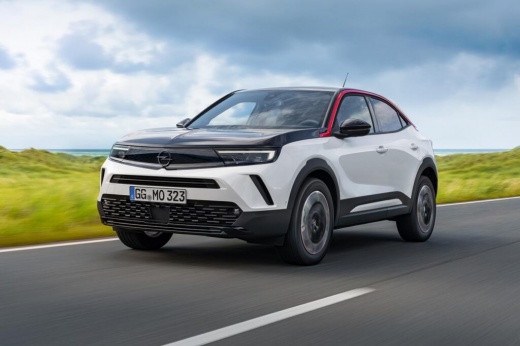
How to Reset the Tyre Warning Light on an Opel Mokka?
Model: Vauxhall Mokka
Mokka B
- Years:
2020, 2021, 2022, 2023, 2024, 2025, 2026
Video tutorial
In this tutorial, we will see how to reset the tyre warning light on an Opel Mokka, a very simple and quick operation to perform only after restoring the correct pressure in each tyre as indicated in the manual. First, get inside the cabin, then insert the key and turn on the ignition. Next, press the button depicting a car on the central console, enter "Driving functions", then "Under-inflation initialization", and confirm the reset. To complete the procedure, simply restart the vehicle.
Posted on 22 October 2026 by ScegliAuto
Related tutorials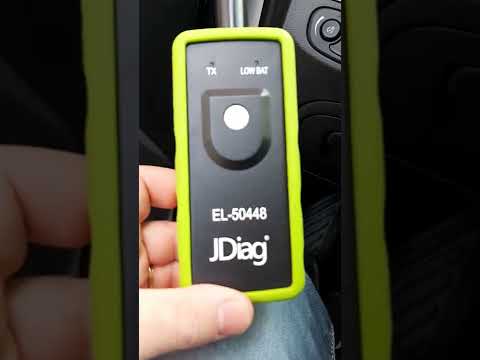
Vauxhall Mokka
(2012-2019 /
Mokka A)
In this tutorial, you will learn how to reset the tyre warning light on the Opel Mokka, a very simple and quick operation. Before proceeding, ensure …

Vauxhall Mokka
(2020-2026 /
Mokka B)
In this tutorial we can see how to reset the tire pressure warning light in the Opel Mokka, an extremely simple and quick operation, to be performed …

Vauxhall Mokka
(2020-2026 /
Mokka B)
In this tutorial, we will see how to reset the tire warning light on the Opel Mokka, a very simple and quick operation that should be done only after…
Other guides you may be interested in |
How to Check and Reset the TPMS on the Hyundai Kona
These brief and simple steps will show you how to check the tyre pressure and reset the TPMS warning on the Hyundai Kona. First, get in the vehicle and turn on the ignition; then go to the settings on the onboard computer and scroll through the options until you reach the tyre pressure monitor, as shown in the video. At this point, reset the pressures indicated by the monitor to the recommended levels; once the TPMS detects the new pressures, it will automatically clear the warnings. by ScegliAuto More videos
|
|
For advertising on this site Write to info@scegliauto.com
ScegliAuto is not responsible for any inaccuracy of the data in the lists. To report any inaccuracy or your business (if you own the business in question), please write to info@scegliauto.com
Number of seconds to generate the page: 0.072
(c) ScegliAuto 2026 - info@scegliauto.com - Privacy policy VAT number: IT01247470535 |
