
|
Do it yourself
| |||
| ||||


How to reset the Service light on the Opel Vectra?
Model: Vauxhall Vectra
Vectra C, MK 3
- Years:
2002, 2003, 2004, 2005, 2006, 2007, 2008
Video tutorial
To clear the Service light displayed on the dashboard of the Opel Vectra, press the button located on the right side of the dashboard while it is off: continue holding the button down while inserting the ignition key into the ignition slot and turning it. The dashboard will now light up, and you must keep holding the button; after a few seconds, the light will turn off, and you can release the button. To complete the operation, you can turn off the dashboard completely by removing the key.
Posted on 22 October 2026 by ScegliAuto
Related tutorials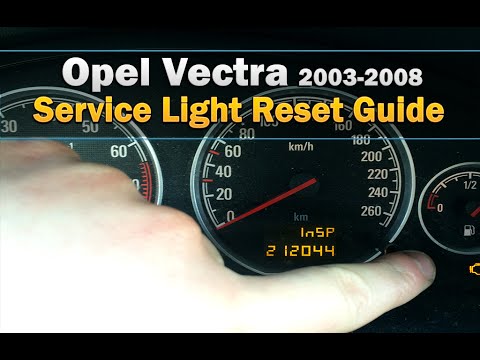
Vauxhall Vectra
(2002-2008 /
Vectra C, MK 3)
To reset the Service light on an Opel Vectra, insert the ignition key into the ignition switch and turn it to switch on the instrument panel. Once th…

Vauxhall Vectra
(2002-2008 /
Vectra C, MK 3)
It will be possible to completely erase the Service light on the instrument panel of the Opel Vectra by inserting the ignition key into the correspon…

Vauxhall Vectra
(2002-2008 /
Vectra C, MK 3)
To reset the service light on the Opel Vectra, you need to press and hold the button located on the right side of the instrument panel while it is tu…
Other guides you may be interested in
|
How to Check and Reset the TPMS on the Hyundai Kona
These brief and simple steps will show you how to check the tyre pressure and reset the TPMS warning on the Hyundai Kona. First, get in the vehicle and turn on the ignition; then go to the settings on the onboard computer and scroll through the options until you reach the tyre pressure monitor, as shown in the video. At this point, reset the pressures indicated by the monitor to the recommended levels; once the TPMS detects the new pressures, it will automatically clear the warnings. by ScegliAuto More videos
|
|
For advertising on this site Write to info@scegliauto.com
ScegliAuto is not responsible for any inaccuracy of the data in the lists. To report any inaccuracy or your business (if you own the business in question), please write to info@scegliauto.com
Number of seconds to generate the page: 0.071
(c) ScegliAuto 2026 - info@scegliauto.com - Privacy policy VAT number: IT01247470535 |
