
|
Do it yourself
| |||
| ||||


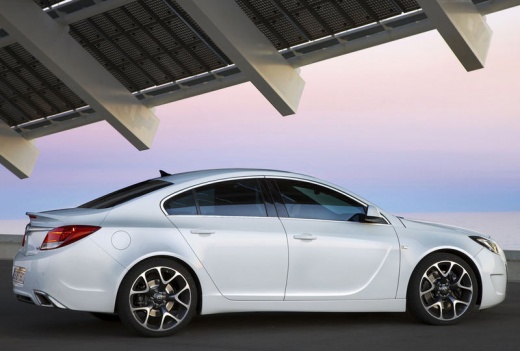
How to Reset the Service Light on an Opel Insignia?
Model: Vauxhall Insigna
MK 1, Insigna A
- Years:
2008, 2009, 2010, 2011, 2012, 2013, 2014, 2015, 2016, 2017
Video tutorial
You can clear the Service light that illuminates on the dashboard of the Opel Insignia by navigating through the menu that appears on the dashboard, turning the dial located on the lever to the left of the steering wheel. Stop when you find the entry with the oil life and the corresponding percentage. To reset this percentage to 100%, simply press and hold the SET/CLR button located at the end of the same lever. Doing so will cause the text to start flashing until it becomes steady and the oil life percentage returns to 100%.
Posted on 24 October 2026 by ScegliAuto
Related tutorials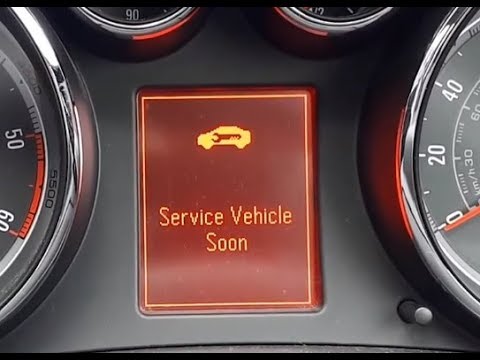
Vauxhall Insigna
(2008-2017 /
MK 1, Insigna A)
To reset the Service light on the Opel Insignia, connect a diagnostic tool to the vehicle's OBD port. Once connected, select the car model and corres…

Vauxhall Insigna
(2008-2017 /
MK 1, Insigna A)
To completely remove the Service light that appears on the instrument panel of the Opel Insignia, you will need to connect a diagnostic tool to the O…

Vauxhall Insigna
(2008-2017 /
MK 1, Insigna A)
To reset the Service light on the Opel Insignia, turn on the instrument cluster by inserting the ignition key into the corresponding barrel. Once it …
Other guides you may be interested in
|
How to adjust the handbrake on the Smart Fortwo?
To adjust the handbrake on the Smart Fortwo, loosen the screws securing the left rear wheel so that it can be removed: after the wheel has been removed from its seat, loosen the screws securing the corresponding brake drum, locating the shoes and the handbrake mechanism. This can be adjusted by tightening or loosening the shoes to regulate the intensity of the handbrake; once the adjustment is complete, verify that the operation has been successfully finished. by ScegliAuto More videos
|
|
For advertising on this site Write to info@scegliauto.com
ScegliAuto is not responsible for any inaccuracy of the data in the lists. To report any inaccuracy or your business (if you own the business in question), please write to info@scegliauto.com
Number of seconds to generate the page: 0.025
(c) ScegliAuto 2026 - info@scegliauto.com - Privacy policy VAT number: IT01247470535 |
