
|
Do it yourself
| |||
| ||||


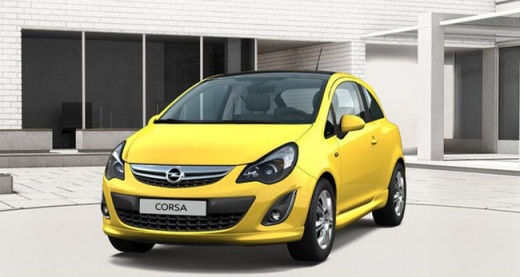
Viewing Hidden Menu Data
Model: Vauxhall Corsa
Corsa D
- Years:
2006, 2007, 2008, 2009, 2010, 2011, 2012, 2013, 2014
Video tutorial
You can view some useful data on the central display of the instrument cluster, such as the coolant temperature; other strange symbols are difficult to interpret. To view this hidden menu, follow this procedure: - Turn on the ignition and/or the engine; - Press the trip reset button three times, on the fourth time hold it for about 10 seconds (if done correctly, the trip will not reset...); - At this point, some strange texts will appear, continue scrolling through the menu by pressing the button: among the various useless screens, there are 2 very interesting ones as mentioned; - Digital speedometer (at the top) and rev counter (at the bottom), precise and easy to see, and the water temperature.
Updated on 6 February 2026 by ScegliAuto
Related tutorials
Vauxhall Corsa
(2014-2019 /
Corsa E)
In this video, we will see how to read the Diagnostic Trouble Codes (DTC) on Opel/Vauxhall vehicles, through a hidden diagnostic menu: to access it, …

Vauxhall Corsa
(2006-2014 /
Corsa D)
The Opel/Vauxhall Corsa does not have a coolant temperature gauge. In this video, see how to check the temperature - it definitely works on the D ver…

Vauxhall Corsa
(2014-2019 /
Corsa E)
If you have just changed the oil and replaced the filter, but still notice the warning light appearing, you must manually reset it. How? Simple, just…
Other guides you may be interested in
|
How to Set the Time in an Audi A4?
In this tutorial, you will see how to set the time in an Audi A4, a very simple and quick operation to perform after replacing the battery or when the time changes. First, insert the key and turn on the instrument cluster. Then, press the "SETUP" button located on the center console. Next, press the upper left arrow button, navigate to the "Time" option, and use the central knob to adjust the clock. Finally, set any necessary formats and save by returning to the main screen. by ScegliAuto More videos
|
|
For advertising on this site Write to info@scegliauto.com
ScegliAuto is not responsible for any inaccuracy of the data in the lists. To report any inaccuracy or your business (if you own the business in question), please write to info@scegliauto.com
Number of seconds to generate the page: 0.034
(c) ScegliAuto 2026 - info@scegliauto.com - Privacy policy VAT number: IT01247470535 |
