
|
Do it yourself
| |||
| ||||


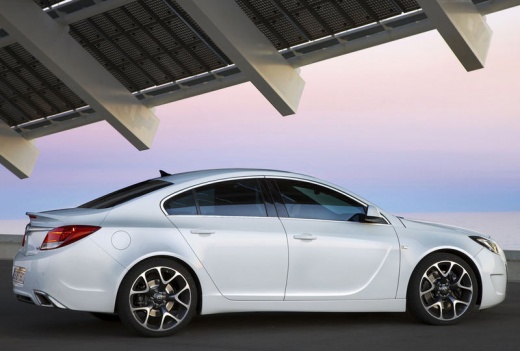
How to Reset the Code 'CodE 59' on the Opel Insignia
Model: Vauxhall Insigna
MK 1, Insigna A
- Years:
2008, 2009, 2010, 2011, 2012, 2013, 2014, 2015, 2016, 2017
Video tutorial
This guide shows how to reset the 'CodE 59' code that appears on the instrument panel of the Opel Insignia. This warning is triggered after a discharge when connecting the battery. To reset this message, the instrument panel must be switched on. Now, lower and raise the driver's window fully. If the error persists after this step, it is advisable to try a few more cycles of window operation until the error message disappears. At this point, the reset operation can be considered complete.
Updated on 16 April 2026 by ScegliAuto
Related tutorials
Vauxhall Insigna
(2008-2017 /
MK 1, Insigna A)
In this tutorial we can see how to reset the on-board computer in the Opel Insignia, an extremely simple and quick operation, to be carried out for e…

Vauxhall Insigna
(2008-2017 /
MK 1, Insigna A)
If the TPMS light on your Opel Insignia illuminates despite all tyres being inflated to the correct pressure, you must perform the following manual r…

Vauxhall Insigna
(2008-2017 /
MK 1, Insigna A)
The indicators provided in all cars are numerous, each has its own meaning, often accompanied by a text message and are part of the instrument panel …
Other guides you may be interested in |
Frequently Asked QuestionsWhere are the fuses located on the Renault Laguna?
On the Renault Laguna, the fuses are located inside the fuse boxes installed in the vehicle: in this car model, you will find two boxes for containing the fuses. The first is in the fuse box on the left side of the dashboard, accessible by opening the driver's door: here you will find the fuses for the windscreen wipers, fog lights, horn, etc. The second box is located on the right side of the engine compartment: here you will find the fuses for the dipped headlights, radiator fan, alternator, etc. by ScegliAuto More videos
|
For advertising on this site Write to info@scegliauto.com
ScegliAuto is not responsible for any inaccuracy of the data in the lists. To report any inaccuracy or your business (if you own the business in question), please write to info@scegliauto.com
Number of seconds to generate the page: 0.060
(c) ScegliAuto 2026 - info@scegliauto.com - Privacy policy VAT number: IT01247470535 |
