
|
Do it yourself
| |||
| ||||



How to Remove the Door Panel of an Opel Zafira B?
Model: Vauxhall Zafira
MK 2, A05, Zafira B
- Years:
2005, 2006, 2007, 2008, 2009, 2010, 2011
Video tutorial
Before starting, ensure the window is fully down and the battery is disconnected. Once confirmed, have a Torx screwdriver, a flathead screwdriver, and a thin but sturdy object to help you detach the door panel clips ready. Begin by unscrewing two screws located on the sides of the door panel. After unscrewing these two screws, remove the cover from the panel handle by inserting the flathead screwdriver into the bottom of the cover and levering it off. This will allow you to unscrew the additional two screws. To access the last screw, which is located behind the internal opening handle of the door, you will need to remove another cover by inserting the flathead screwdriver into the slot located on its upper side and levering it off. At this point, you will have removed this cover as well, and you can unscrew the last screw. Once this last screw is unscrewed, insert the thin tool between the door panel and the door itself, and slide it around the entire perimeter. This will completely detach the door panel; however, before moving the panel away from the door, you must disconnect the control cables. Once this last step is complete, you will have finished the removal.
Updated on 18 April 2026 by ScegliAuto
Related tutorials
Vauxhall Zafira
(2005-2011 /
MK 2, A05, Zafira B)
In this brief and simple guide, you will learn how to remove the front door panel and lock of the Opel Zafira B. First, open the door and start by re…

Vauxhall Zafira
(1999-2005 /
Zafira A, T98, MK 1)
To remove the right rear door panel on Opel Zafira (first series), follow these steps: disconnect the battery terminals located in the engine bay, us…
Vauxhall Zafira
(2005-2011 /
MK 2, A05, Zafira B)
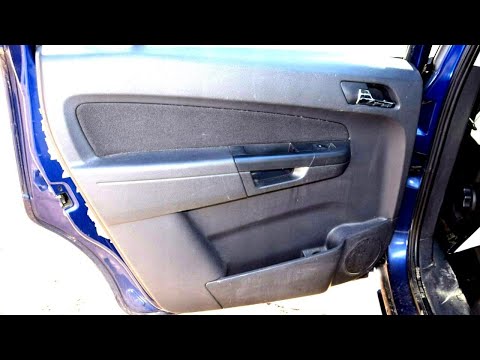
Today, we will discover the procedure to remove and replace the front door panel on the Opel Zafira. First, open the front door and start by removing…
Other guides you may be interested in
|
How to Set the Time in an Audi A4?
In this tutorial, you will see how to set the time in an Audi A4, a very simple and quick operation to perform after replacing the battery or when the time changes. First, insert the key and turn on the instrument cluster. Then, press the "SETUP" button located on the center console. Next, press the upper left arrow button, navigate to the "Time" option, and use the central knob to adjust the clock. Finally, set any necessary formats and save by returning to the main screen. by ScegliAuto More videos
|
|
For advertising on this site Write to info@scegliauto.com
ScegliAuto is not responsible for any inaccuracy of the data in the lists. To report any inaccuracy or your business (if you own the business in question), please write to info@scegliauto.com
Number of seconds to generate the page: 0.056
(c) ScegliAuto 2026 - info@scegliauto.com - Privacy policy VAT number: IT01247470535 |
