
|
Do it yourself
| |||
| ||||


Replacing the External Rear View Mirror
Model: Vauxhall Astra
Astra G
- Years:
1998, 1999, 2000, 2001, 2002, 2003, 2004, 2005, 2006
This video is currently unavailable
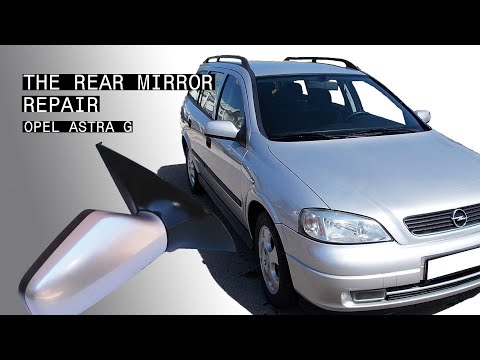
This video tutorial demonstrates the procedure for replacing the left external rear view mirror on an Opel Astra. Remove the cracked mirror surface by hand (use a pair of gloves!). Disconnect the electrical connection. Remove and keep the clips from the old mirror surface and attach them to the new one. Now reconnect the electrical connection by attaching the two wires. Position the mirror, ensuring each clip aligns perfectly; apply the right pressure by hand to complete the operation.
Updated on 17 February 2026 by ScegliAuto
Related tutorials
Vauxhall Astra
(1998-2006 /
Astra G)
How do you remove the external wing mirror from your car? In this video, learn how to remove the external wing mirror on an Opel Astra. Use a lever t…
Vauxhall Astra
(1998-2006 /
Astra G)
To replace the external wing mirror on the Opel Astra, remove the plastic cover located on the inside of the door, corresponding to the wing mirror. …

Vauxhall Astra
(2004-2010 /
Astra H)
Replacing the external wing mirror is very simple as the mirror is secured to the support with clips; simply lever behind the mirror to release it an…
Other guides you may be interested in |
How to reset the tyre pressure warning light on the Dacia Sandero?
The tyre pressure warning light that appears on the instrument cluster of the Dacia Sandero can be reset by inflating the tyres until they reach the correct pressure value: this value is indicated on the sticker attached to the driver’s door pillar. Once the inflation is complete, navigate through the menu that appears on the instrument cluster to find the option related to the tyres: select this with the OK button, which should then be held down for a few seconds to completely turn off the light. by ScegliAuto More videos
|
|
For advertising on this site Write to info@scegliauto.com
ScegliAuto is not responsible for any inaccuracy of the data in the lists. To report any inaccuracy or your business (if you own the business in question), please write to info@scegliauto.com
Number of seconds to generate the page: 0.014
(c) ScegliAuto 2026 - info@scegliauto.com - Privacy policy VAT number: IT01247470535 |
