
|
Do it yourself
| |||
| ||||


How to Change the Key Shell on an Opel Astra
Model: Vauxhall Astra
Astra G
- Years:
1998, 1999, 2000, 2001, 2002, 2003, 2004, 2005, 2006
Video tutorial
In today's video tutorial, we will show you how to dismantle and replace the key shell on an Opel Astra. First, take your key and start separating the physical key from the remote buttons; use something thin to pry it apart, as shown in the video. Next, remove the chip and the electronic board from the remote, transferring everything to the new key shell. Then, reassemble the physical key onto the new shell, ensuring that the car's locking and unlocking buttons work perfectly!
Updated on 7 August 2026 by ScegliAuto
Related tutorials
Vauxhall Astra
(2009-2016 /
Astra J)
In this video, see how to change the shell of the remote for an Opel Astra J: first, obtain the shell. You can find it on Amazon with the code B08NF7…

Vauxhall Astra
(2015-2022 /
Astra K)
First, press the designated button on the back of the cover and remove the key from the shell. Now, using the same key (or a flat-head screwdriver to…
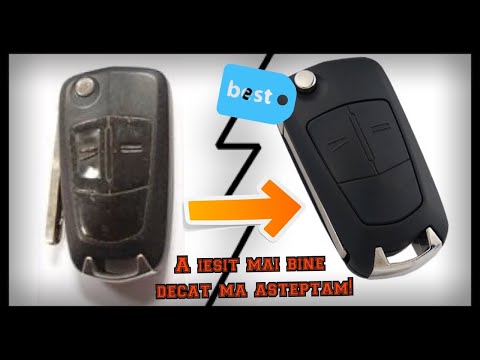
Vauxhall Astra
(2004-2010 /
Astra H)
This guide outlines the steps to disassemble and replace the key shell of the Vauxhall Astra, following the instructions below. First, take your remo…
Other guides you may be interested in
|
Frequently Asked QuestionsHow to Activate the Automatic Folding and Unfolding of the Wing Mirrors on the Jeep Compass
Follow these brief instructions to activate the automatic folding and unfolding of the external wing mirrors on the Jeep Compass. First, get inside the vehicle and turn on the ignition; then press the button located beneath the mirror glass adjustment to electrically open the mirror, as shown in the video. Pressing the button in the opposite direction will close the mirrors; by holding the button, the mirrors will open and close automatically! by ScegliAuto More videos
|
|
For advertising on this site Write to info@scegliauto.com
ScegliAuto is not responsible for any inaccuracy of the data in the lists. To report any inaccuracy or your business (if you own the business in question), please write to info@scegliauto.com
Number of seconds to generate the page: 0.076
(c) ScegliAuto 2026 - info@scegliauto.com - Privacy policy VAT number: IT01247470535 |
