
|
Do it yourself
| |||
| ||||


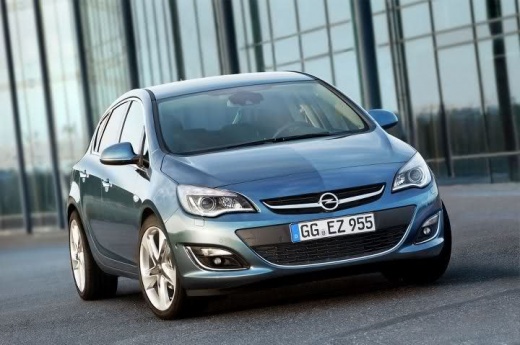
How to Connect Your Smartphone to the Opel Astra Multimedia System
Model: Vauxhall Astra
Astra J
- Years:
2009, 2010, 2011, 2012, 2013, 2014, 2015, 2016
Video tutorial
In this video tutorial, you will learn how to connect your smartphone to the radio and multimedia system of the Opel Astra. You can connect your smartphone for multimedia content using an aux cable, then select the output from the radio. Alternatively, you can use the Bluetooth system to pair your phone with the multimedia system, as shown in the video. This allows you to play multimedia content directly from your smartphone using the radio controls.
Updated on 6 September 2026 by ScegliAuto
Related tutorials
Vauxhall Astra
(2015-2022 /
Astra K)
Today's guide will show you how to connect your smartphone via Bluetooth to the multimedia system of the Opel Astra; you can connect using Android Au…

Vauxhall Astra
(2015-2022 /
Astra K)
Today's guide will show you how to reset the factory settings of the multimedia system in the Opel Astra. First, get inside the cabin and turn on the…

Vauxhall Astra
(2015-2022 /
Astra K)
Today we will discover the instructions that will allow us to disassemble and replace the central display of the dashboard, as well as the display of…
Other guides you may be interested in |
How to Activate the Automatic Folding and Unfolding of the Wing Mirrors on the Jeep Compass
Follow these brief instructions to activate the automatic folding and unfolding of the external wing mirrors on the Jeep Compass. First, get inside the vehicle and turn on the ignition; then press the button located beneath the mirror glass adjustment to electrically open the mirror, as shown in the video. Pressing the button in the opposite direction will close the mirrors; by holding the button, the mirrors will open and close automatically! by ScegliAuto More videos
|
|
For advertising on this site Write to info@scegliauto.com
ScegliAuto is not responsible for any inaccuracy of the data in the lists. To report any inaccuracy or your business (if you own the business in question), please write to info@scegliauto.com
Number of seconds to generate the page: 0.014
(c) ScegliAuto 2026 - info@scegliauto.com - Privacy policy VAT number: IT01247470535 |
