
|
Do it yourself
| |||
| ||||


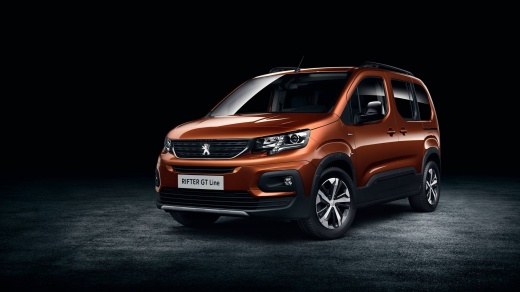
How to deactivate the automatic parking brake on Peugeot Rifter
Model: Peugeot Rifter
MK 1
- Years:
2018, 2019, 2020, 2021, 2022, 2023, 2024, 2025, 2026
Video tutorial
Here are two procedures to follow to disengage the automatic and electric parking brake on a Peugeot Rifter. Deactivation through the official procedure: turn on the car without pressing the clutch. Look for the option to deactivate the automatic parking brake in the on-board system menu (CDB). Follow the instructions to deactivate the automatic brake. Manual disengagement: start the car. Pressing the brake and holding the clutch down, lift the parking brake lever. The brake should disengage. Check the parking brake button: check the button for engaging and disengaging the handbrake.
Posted on 16 December 2024 by ScegliAuto
Related tutorials
Peugeot Rifter
(2018-2026 /
MK 1)
In this tutorial, you will learn how to remove the spare wheel in a Peugeot Rifter van, a simple operation so you can use it in case of emergency or …

Peugeot Rifter
(2018-2026 /
MK 1)
Replacing the bulb in the interior light of the Peugeot Rifter is a simple and quick task that can be done independently, aided by our video tutorial…
Peugeot Rifter
(2018-2026 /
MK 1)
Resetting the tyre warning light on a Peugeot Rifter is an extremely simple and quick operation. Before proceeding, ensure you have restored the corr…
Other guides you may be interested in
|
How to Open the Fuel Flap on a Volkswagen Tiguan?
To open the fuel flap on a Volkswagen Tiguan, first unlock the car using the appropriate button on the remote. This will open the car and unlock the mechanism that controls the fuel flap. At this point, apply light pressure to the left side of the flap to open it and access the cap underneath. Once this is unscrewed, you can refuel and then close everything. by ScegliAuto More videos
|
|
For advertising on this site Write to info@scegliauto.com
ScegliAuto is not responsible for any inaccuracy of the data in the lists. To report any inaccuracy or your business (if you own the business in question), please write to info@scegliauto.com
Number of seconds to generate the page: 0.022
(c) ScegliAuto 2026 - info@scegliauto.com - Privacy policy VAT number: IT01247470535 |
