
|
Do it yourself
| |||
| ||||


How do you reset the infotainment system of the Peugeot Partner?
Model: Peugeot Partner Tepee
MK 3
- Years 2018-2026
To completely reset the infotainment system of the Peugeot Partner, you will first need to turn on the instrument panel by inserting the ignition key into the corresponding slot. Once the panel is turned on, you can press and hold the button with the music note icon located at the top left of the screen. By holding it down for a few seconds, you will notice that the screen will automatically turn off and then turn back on by itself. Upon the new start-up, you will see that the system has been restored.
Posted on 4 March 2025 by ScegliAuto
Video tutorial
Related tutorials
Peugeot Partner Tepee
(2018-2026 /
MK 3)
In this video, we can see where the coolant bleed valve of the Peugeot Partner (as well as the Citroen Berlingo) is located. This valve is used to el…

Peugeot Partner Tepee
(2018-2026 /
MK 3)
There are several methods to reset the AdBlue light on the Peugeot Partner. The first illustrated in the video consists simply of driving the vehicle…
Peugeot Partner Tepee
(2008-2018 /
B9)
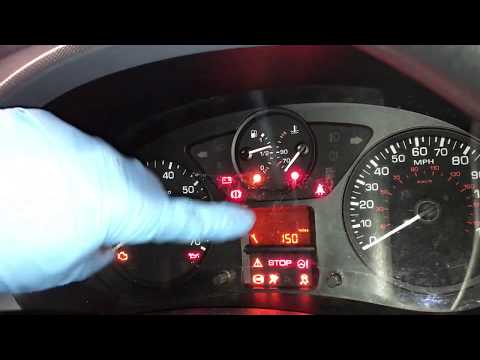
When it’s time to change the engine oil on the Peugeot Partner, an orange spanner symbol appears on the central display. After changing the oil, you …
Other guides you may be interested in
|
Frequently Asked QuestionsHow to Replace the External Wing Mirror on a Ford C MAX
In the event of a breakage, it will be necessary to replace the external wing mirror on the 2011 Ford C MAX. This operation is easily performed independently. Start by removing the internal cover of the mirror with a plastic lever. Then, use a socket wrench to remove the securing pins. Once the pins are removed, you can take off the mirror, but not before disconnecting the power connectors. Then proceed to fit the new mirror. First, connect the connectors and then secure the mirror to its housing with the pins. Refit the plastic cover and test the operation of the electric mirror using the controls. by ScegliAuto More videos
|
For advertising on this site Write to info@scegliauto.com
ScegliAuto is not responsible for any inaccuracy of the data in the lists. To report any inaccuracy or your business (if you own the business in question), please write to info@scegliauto.com
Number of seconds to generate the page: 0.195
(c) ScegliAuto 2026 - info@scegliauto.com - Privacy policy VAT number: IT01247470535 |
