
|
Do it yourself
| |||
| ||||


How do you reset the AdBlue warning light in the Peugeot Partner?
Model: Peugeot Partner Tepee
MK 3
- Years 2018-2026
Watching the presentation video of the Peugeot Partner available here, we will realize which vehicle we are talking about, namely a commercial destination vehicle. As expected for recently built diesel vehicles, it also uses the antipollution additive adblue, which must be poured into its tank when the appropriate warning light comes on. Once this is done, the aforementioned warning light will be automatically turned off by the car's control unit, which will have received the ok from the level sensor. If this is not the case, it is recommended to go to the workshop and have it turned off with the diagnostic tool to be connected to the Obd socket.
Posted on 3 February 2025 by ScegliAuto
Video tutorial
Related tutorials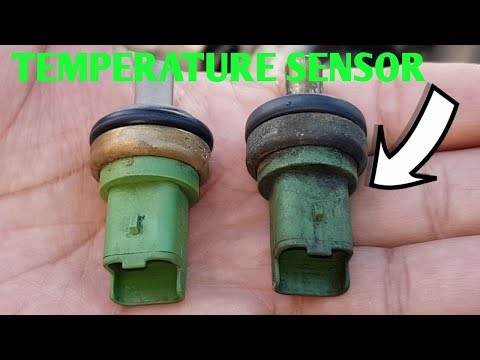
Peugeot Partner Tepee
(1996-2013 /
MK 1)
Today's guide will show you the procedure for removing and replacing the coolant temperature sensor on the Peugeot Partner. First, open the bonnet an…

Peugeot Partner Tepee
(2008-2018 /
B9)
To reset the Service light on the Peugeot Partner, you will need to hold down the button on the right side of the instrument panel while it is turned…

Peugeot Partner Tepee
(1996-2013 /
MK 1)
To completely remove the Service indicator on the Peugeot Partner, you need to press and hold the button located in the central lower part of the ins…
Other guides you may be interested in
|
How to Replace the Cabin Filter on the Opel Grandland X
If you own an Opel Grandland X and want to know the steps to replace the cabin air filter, carefully read the following guide and follow the described steps. First, enter the vehicle and go to the passenger side. Then, locate the box containing the air filter in the lower side area of the dashboard. Remove the cover of the box and finally replace the old filter with the new one. Refit the cover, and you are done. by ScegliAuto More videos
|
|
For advertising on this site Write to info@scegliauto.com
ScegliAuto is not responsible for any inaccuracy of the data in the lists. To report any inaccuracy or your business (if you own the business in question), please write to info@scegliauto.com
Number of seconds to generate the page: 0.078
(c) ScegliAuto 2026 - info@scegliauto.com - Privacy policy VAT number: IT01247470535 |
