
|
Do it yourself
| |||
| ||||


How do you reset the service light in the Peugeot Boxer?
Model: Peugeot Boxer
MK 2
- Years:
2006, 2007, 2008, 2009, 2010, 2011, 2012, 2013, 2014, 2015, 2016, 2017
Video tutorial
It is specified for any vehicle, by the manufacturers, to carry out the service every certain number of kilometers traveled or every certain amount of time elapsed, providing all the necessary information in the user manual. Often, people decide to do these works independently, such as changing the engine oil and filters, but then they must remember to turn off the Service light mentioned above. Watching the video published, shot in a Peugeot Partner, but with the same operating mode as the Peugeot Boxer, we understand how to do it: Simply hold down the button to the left of the odometer and after a general flashing of the instrument panel, the light will turn off.
Posted on 12 May 2025 by ScegliAuto
Related tutorials
Peugeot Boxer
(2006-2024 /
MK 2)
To perform the service reset on a 2021 Peugeot Boxer, we need to reset the service light related to the mileage update for the next service and oil c…

Peugeot Boxer
(2006-2024 /
MK 2)
In this tutorial, see how to reset the service light on a Peugeot Boxer van, a very simple and quick operation to perform only after completing all s…

Peugeot Boxer
(2006-2024 /
MK 2)
To reset the Service light on the instrument panel of the Peugeot Boxer, it is necessary to turn on the instrument panel by turning the ignition key:…
Other guides you may be interested in
|
How to Set the Clock on a Suzuki SX4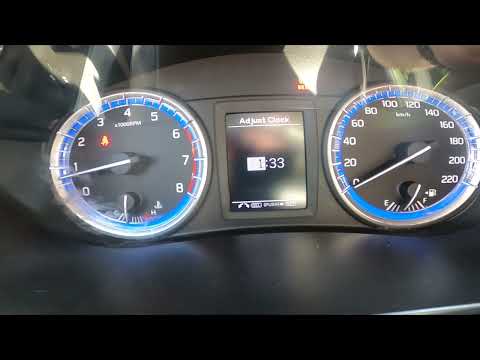
To set the clock on the Suzuki SX4's onboard computer, follow this procedure: first, turn on the ignition without starting the engine, then press and hold the button located at the top right of the onboard computer for 3 seconds. Once the menu appears, use the button to scroll to the clock settings option, then press OK and scroll to the adjust clock option. At this point, set the time, and once adjusted, click on the back option. The procedure takes little time and does not require any tools. by ScegliAuto More videos
|
|
For advertising on this site Write to info@scegliauto.com
ScegliAuto is not responsible for any inaccuracy of the data in the lists. To report any inaccuracy or your business (if you own the business in question), please write to info@scegliauto.com
Number of seconds to generate the page: 0.059
(c) ScegliAuto 2026 - info@scegliauto.com - Privacy policy VAT number: IT01247470535 |
