
|
Do it yourself
| |||
| ||||


How to Reset the Audio and Multimedia System in a Peugeot Vehicle?
Model: Peugeot Peugeot Various
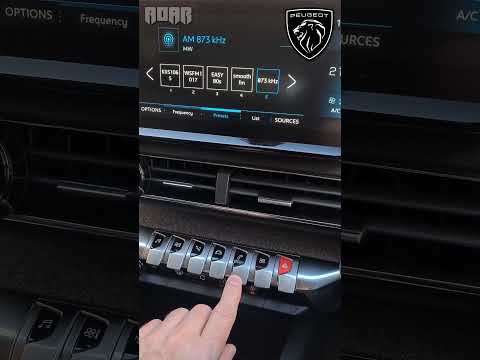
The solution proposed in the attached video tutorial is applicable to most Peugeot vehicles in case of sudden software lock and thus various functions. Following the advice shown and described below: while keeping the instrument panel on, as well as the multimedia system, press and hold the volume + and - buttons, waiting for the Display to turn off and then turn back on. After this, try using all the functions of the system to verify that the problem has been resolved.
Posted on 14 February 2026 by ScegliAuto
Video tutorial
Related tutorials
Peugeot Peugeot Various
In modern Peugeot cars, the ConnectRadio multimedia system, also known as RCC, may freeze or show signs of malfunction. In such cases, you can perfor…
Peugeot Peugeot Various
In this video, you will see a simple remedy to reset the multimedia screen of a Peugeot vehicle. Unfortunately, these touch-screen displays often "fr…

Peugeot Peugeot Various
To reset the radio in Peugeot cars, there is a common procedure that can be performed on all vehicles produced by the manufacturer: first, turn on th…
Other guides you may be interested in
|
Fuses Location and Diagram for the Volkswagen Crafter
In this guide, we will look at the location of the fuse boxes and how to find their diagram for the Volkswagen Crafter. First, get inside the vehicle and start by removing the plastic cover found under the steering wheel, to access the internal fuse box; you will find another fuse box in the engine compartment by removing the plastic cover located next to the battery. At this point, use the owner's manual to find the fuse diagram, which will allow you to identify and replace any blown fuses with new ones! by ScegliAuto More videos
|
|
For advertising on this site Write to info@scegliauto.com
ScegliAuto is not responsible for any inaccuracy of the data in the lists. To report any inaccuracy or your business (if you own the business in question), please write to info@scegliauto.com
Number of seconds to generate the page: 0.110
(c) ScegliAuto 2026 - info@scegliauto.com - Privacy policy VAT number: IT01247470535 |
