
|
Do it yourself
| |||
| ||||


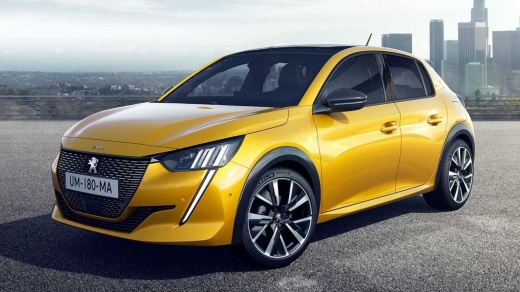
Where to Find the OBD Port on a Peugeot 208 2024
Model: Peugeot 208
UP, UW, UB, UJ, MK 2
- Years:
2019, 2020, 2021, 2022, 2023, 2024, 2025, 2026
Video tutorial
By following the steps described in this guide, you will be able to locate the OBD port inside the cabin of your Peugeot 208 second series (2024 model year). First, reach the driver's seat inside the car, then ensure that the vehicle is completely off and move to the passenger seat to open the glove compartment. Once done, remove the plastic cover present and locate the OBD port you are looking for. If needed, connect a diagnostic tool to it.
Posted on 14 March 2026 by ScegliAuto
Related tutorials
Peugeot 208
(2019-2026 /
UP, UW, UB, UJ, MK 2)
The OBD port on Peugeot 208 vehicles is located inside the passenger side glove compartment, specifically behind a cover. To use the port, we must op…

Peugeot 208
(2012-2019 /
MK 1, A9)
In this new mini guide dedicated to your Peugeot 208 first series (2012-2019), discover where the OBD port is located, allowing you to connect a prof…

Peugeot 208
(2019-2026 /
UP, UW, UB, UJ, MK 2)
In this guide dedicated to your Peugeot 208 Mk2 (2020), discover where the OBD port is located, allowing you to connect any professional diagnostic t…
Other guides you may be interested in
|
Frequently Asked QuestionsHow to Set the Time on an Audi A6
Briefly, we will see the instructions to set the time on the Audi A6 by following these simple steps. First, get inside the vehicle and turn on the instrument cluster; then press the settings button and navigate to the time option to confirm your choice, as shown in the video. At this point, set the correct time and format, then exit the settings menu to save the changes made; finally, start the engine and ensure that the time has been set correctly! by ScegliAuto More videos
|
|
For advertising on this site Write to info@scegliauto.com
ScegliAuto is not responsible for any inaccuracy of the data in the lists. To report any inaccuracy or your business (if you own the business in question), please write to info@scegliauto.com
Number of seconds to generate the page: 0.020
(c) ScegliAuto 2026 - info@scegliauto.com - Privacy policy VAT number: IT01247470535 |
