
|
Do it yourself
| |||
| ||||


How does the alarm system of the Piaggio Beverly HPE work?
Model: Piaggio Beverly 300 Hpe
Video tutorial
In this video, we see how the original anti-theft system of the Piaggio Beverly HPE works from the remote control: the first button on the top left arm/disarms the alarm. The button next to it on the right is for the siren, so it activates or deactivates it. The button on the bottom left is used to open the seat, with a flashing of the turn signals, while the last button is used for programming by the official Piaggio center. The anti-theft system has a "sleep mode" function and goes into standby mode after 72 hours of activation, so to deactivate the alarm without it sounding, you must act on the ignition lever, and within 5 seconds press the first button, the one for arming the alarm.
Posted on 1 June 2025 by ScegliAuto
Related tutorials
Beverly 300 Hpe
The display of the central panel of your Piaggio Beverly 300 HPE can be shown in two different colors. If you want to change it manually, just follow…

Beverly 300 Hpe
In this video we can see how to activate and deactivate the ASR system on the Piaggio Beverly HPE 300. It is an operation that must be done with the …

Beverly 300 Hpe
In this tutorial, you will learn how to change the engine oil in a Piaggio Beverly 300 HPE scooter, a very simple and quick operation. First, ensure …
|
How to Reset the Service Light on a KTM Super Duke 1290 R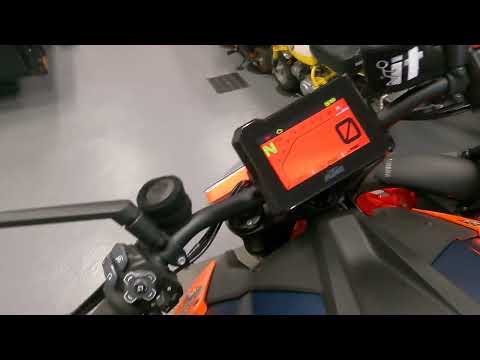
This tutorial shows how to reset the service light on a KTM Super Duke 1290 R, a very simple and quick operation. Before proceeding, ensure that you have completed the required scheduled maintenance. Start by inserting the key and turning on the instrument panel, then navigate to the general menu, move the selector to "Options" and press the two indicated buttons. Adjust the two intervals using the directional arrows, return to the main screen, and restart the panel to verify that the reset was successful. by ScegliAuto More videos
|
|
For advertising on this site Write to info@scegliauto.com
ScegliAuto is not responsible for any inaccuracy of the data in the lists. To report any inaccuracy or your business (if you own the business in question), please write to info@scegliauto.com
Number of seconds to generate the page: 0.006
(c) ScegliAuto 2026 - info@scegliauto.com - Privacy policy VAT number: IT01247470535 |
