
|
Do it yourself
| |||
| ||||


|
Model: Piaggio Vespa Px 125
Start by removing the wheel and then take off the plastic cover on the brake caliper and detach the ring that secures the pin to which the pads are attached. Pull out the pin using pliers and remove the anti-vibration shim. After removing the worn brake pads, you need to return the pistons to their original position, which can be done using a flat screwdriver. Now you can insert the new pads and reposition the various elements removed earlier: the shim, the pin, the ring, the cover, and the wheel.
Updated on 26 July 2026 by ScegliAuto
Video tutorial
Related tutorials
Vespa Px 125
In order to replace the rear brake shoes of the Piaggio Vespa PX 125, you need to loosen the screws that secure the rear wheel to the corresponding s…

Vespa Px 125
You can replace the front brake pads on the Piaggio Vespa PX 125 by first removing the wheel from its housing: it can be detached from the bottom of …

Vespa Px 125
In order to replace the rear brake shoes of the Piaggio Vespa PX 125, you need to loosen the screws that secure the rear wheel to the corresponding h…
|
How to Reset the Service Light on the Yamaha Xmax 250?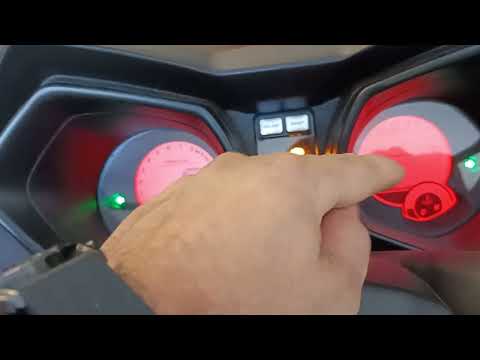
To reset the service light on the Yamaha Xmax 250, you need to insert the ignition key into the appropriate slot, so that you can turn it and switch on the instrument panel. Once this is done, press and hold the central button located on the left side of the instrument panel: the button should be held for about 20 seconds. When released, you will notice that the flashing service light has turned off: to verify that the reset has occurred correctly, you will need to switch off and then switch on the vehicle's instrument panel. by ScegliAuto More videos
|
|
For advertising on this site Write to info@scegliauto.com
ScegliAuto is not responsible for any inaccuracy of the data in the lists. To report any inaccuracy or your business (if you own the business in question), please write to info@scegliauto.com
Number of seconds to generate the page: 0.268
(c) ScegliAuto 2026 - info@scegliauto.com - Privacy policy VAT number: IT01247470535 |
