
|
Do it yourself
| |||
| ||||


Polestar Polestar 2 - Video guides Polestar Polestar 2 (2022-2026 / MK 1) Polestar 2: How to Restart the Infotainment System from the Home Button To restart the infotainment system of the Polestar 2, ensure the car is safely parked with the gear in P and the ignition on. On the large central display, …Read all… Posted on 22 May 2026 by ScegliAuto  Polestar Polestar 2 (2022-2026 / MK 1) Fuse Layout and Positioning for the Polestar 2 Today, you will see the instructions that will allow you to access the fuse boxes of the Polestar 2, also retrieving the layout and diagram. First, locate the …Read all… Posted on 16 April 2026 by ScegliAuto  Polestar Polestar 2 (2022-2026 / MK 1) How to Reset the Infotainment System on a Polestar 2 Let's see how to reset the infotainment system on a Polestar 2: to restart the operating system without losing the settings, we can attempt a soft reset by …Read all… Posted on 8 April 2026 by ScegliAuto  Polestar Polestar 2 (2022-2026 / MK 1) How do you reset the TCAM system of the Polestar 2? To reset the TCAM system of the Polestar 2, you must first turn on the instrument cluster by inserting the ignition key into the ignition switch: once the …Read all… Posted on 13 January 2026 by ScegliAuto  Polestar Polestar 2 (2022-2026 / MK 1) How to reset the TCAM of the Polestar 2 Below we will see the steps that will allow us to reset the TCAM of the Polestar 2. First of all, we open the front hood of the vehicle and start disconnecting …Read all… Posted on 3 September 2025 by ScegliAuto  Polestar Polestar 2 (2022-2026 / MK 1) How to charge the battery of the Polestar 2 The battery of the Polestar 2 is located inside the front hood under the left side cover of the hood. To access the battery, we need to open the front hood and …Read all… Posted on 22 May 2025 by ScegliAuto  Polestar Polestar 2 (2022-2026 / MK 1) How to perform a general reset on the Polestar 2? Let's talk about a car definitely focused on high levels of technology, namely the Polestar 2. It is a 100% electric car, so no internal combustion engine with …Read all… Posted on 6 March 2025 by ScegliAuto  Polestar Polestar 2 (2022-2026 / MK 1) How to reset the multimedia system TCAM of the Polestar 2 Below we will see the information that will allow us to reset the TCAM multimedia system of the Polestar 2, in simple and quick steps. First, we get on board …Read all… Posted on 13 February 2025 by ScegliAuto  Polestar Polestar 2 (2022-2026 / MK 1) How to Reset the TCAM on a Polestar 2 Resetting the TCAM on a Polestar 2 is a very simple operation that can be done independently in two quick steps. First, turn on the vehicle and the onboard …Read all… Posted on 30 October 2026 by ScegliAuto  Polestar Polestar 2 (2022-2026 / MK 1) How to reset the service light on the Polestar 2 Resetting the service light is a very simple and quick operation that must be performed after carrying out the service tasks. To reset the service light on a …Read all… Posted on 17 September 2026 by ScegliAuto  Polestar Polestar 2 (2022-2026 / MK 1) Resetting the Service Light on the Polestar 2 In this video, you will learn how to reset the Service light on a Polestar 2 after performing all the service operations. Sit in the driver's seat with the …Read all… Posted on 15 September 2026 by ScegliAuto  Polestar Polestar 2 (2022-2026 / MK 1) How to Perform a Hard Reset on the Polestar 2 If the onboard computer of your Polestar 2 has several serious software issues, don’t worry as you can easily resolve them through a hard reset of the …Read all… Posted on 15 September 2026 by ScegliAuto  Polestar Polestar 2 (2022-2026 / MK 1) Charming Features of the Polestar 2 In this video, we explore the five best features - the most captivating - of the Polestar 2, Volvo's electric brand, directly competing with Tesla. First, we …Read all… Posted on 15 September 2026 by ScegliAuto  Polestar Polestar 2 (2022-2026 / MK 1) How to Charge the Polestar 2 at Home? The sector of vehicles with a 100% electric motor has taken over, and the Volvo Polestar is an example of this. This video showcases the Volvo Polestar 2, a …Read all… Posted on 15 September 2026 by ScegliAuto  Polestar Polestar 2 (2022-2026 / MK 1) How to Remove and Replace the Wheel on the Polestar 2 Replacing the wheel on the Polestar 2 is a straightforward process, identical to all vehicles; first, locate the spare wheel kit found in the boot of the car. …Read all… Posted on 14 September 2026 by ScegliAuto 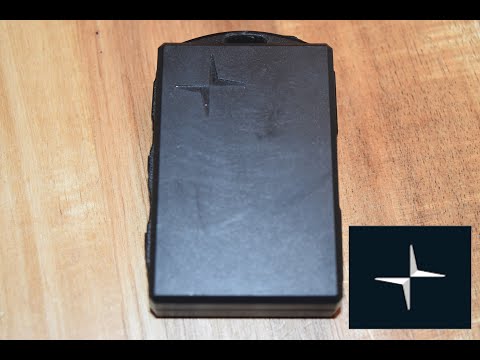 Polestar Polestar 2 (2022-2026 / MK 1) How to Replace the Remote Battery in the Polestar 2 This guide shows how to replace the battery in the Polestar 2 remote. The required battery for replacement is the CR2032 model. First, press the small release …Read all… Posted on 14 September 2026 by ScegliAuto 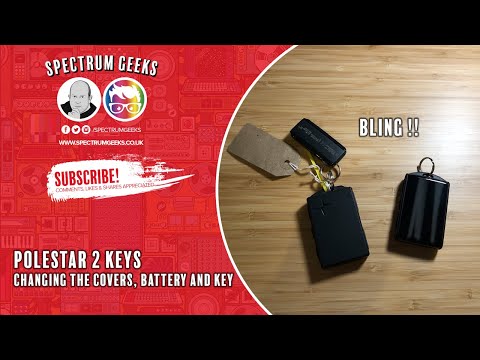 Polestar Polestar 2 (2022-2026 / MK 1) How to Remove the Plastic Key Cover of the Polestar 2 In this guide, we will briefly outline the main steps to remove and replace the plastic cover of the key or the internal components of the Polestar 2 remote. …Read all… Posted on 13 September 2026 by ScegliAuto 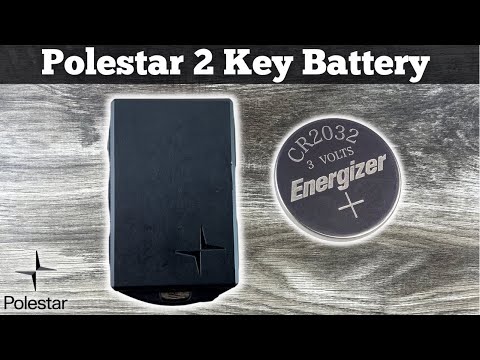 Polestar Polestar 2 (2022-2026 / MK 1) How to replace the remote battery on a Polestar 2? To replace the remote battery on the Polestar 2, slide the cover on the back of the device to access the internal components. Once the covers are removed, …Read all… Posted on 13 September 2026 by ScegliAuto  Polestar Polestar 2 (2022-2026 / MK 1) How to Replace the Cabin Air Filter of the Polestar 2 Discover today the instructions to remove and replace the cabin air filter of the Polestar 2 in simple and quick steps. First, get into the vehicle on the …Read all… Posted on 12 September 2026 by ScegliAuto  Polestar Polestar 2 (2022-2026 / MK 1) Particular Features of the Polestar 2 Polestar is a Swedish automotive brand, acquired by Volvo in 2015. Volvo had itself been acquired by the Chinese brand Geely in 2010. The Polestar is built in …Read all… Posted on 12 September 2026 by ScegliAuto
Car stereo (2)
Battery (1)
Key (3)
Onboard computer (2)
Checks and maintenance (5)
Cabin air filter (1)
Wheel (1)
Fuse box (2)
Warning light – error code (2)
Service warning light (2)
|
See also:How to Set the Time in an Audi A4?
In this tutorial, you will see how to set the time in an Audi A4, a very simple and quick operation to perform after replacing the battery or when the time changes. First, insert the key and turn on the instrument cluster. Then, press the "SETUP" button located on the center console. Next, press the upper left arrow button, navigate to the "Time" option, and use the central knob to adjust the clock. Finally, set any necessary formats and save by returning to the main screen. by ScegliAuto More videos
|
|
For advertising on this site Write to info@scegliauto.com
ScegliAuto is not responsible for any inaccuracy of the data in the lists. To report any inaccuracy or your business (if you own the business in question), please write to info@scegliauto.com
Number of seconds to generate the page: 0.008
(c) ScegliAuto 2026 - info@scegliauto.com - Privacy policy VAT number: IT01247470535 |
