
|
Do it yourself
| |||
| ||||


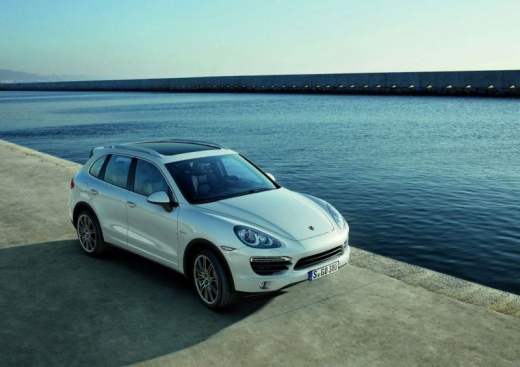
How to remove the rear panel of a Porsche Cayenne S II.
Model: Porsche Cayenne
MK 2
- Years:
2010, 2011, 2012, 2013, 2014, 2015, 2016, 2017
Video tutorial
To do this disassembly work, we will need a screwdriver kit, a plastic tool, and a star screwdriver: let's start by removing the inner handle; we will pull out the handle held by two clips. First, we remove the upper part, then the lower part; next, we disassemble the armrest, which can be lifted upwards after being released: underneath it, we will find a couple of screws to remove. Now let's move on to the plastic covers, which can be removed with a prying tool. Beneath them, we will find more screws to unscrew. The panel is held by other clips, and we will lift it upwards to detach it. Before completely removing the panel, remember to disconnect all the electrical connectors. We remove the door seal and take off the bolt cover on the lower outer part. If we want to physically remove the door, we need to know that it is a complex operation, which involves unscrewing the hinge bolts, removing the opening limiter, and lifting the door upwards to detach it. However, this operation is not necessary (like removing the true) for the simple removal of the panel.
Posted on 12 December 2025 by ScegliAuto
Related tutorials
Porsche Cayenne
(2017-2026 /
MK 3)
Before you can work on the fuses of your 2020 Porsche Cayenne (third generation), you need to locate them safely, and this guide will help you do jus…

Porsche Cayenne
(2010-2017 /
MK 2)
If you don't know where all the various fuses are located in your Porsche Cayenne second generation, don't worry because this guide provides all the …
Porsche Cayenne
(2010-2017 /
MK 2)
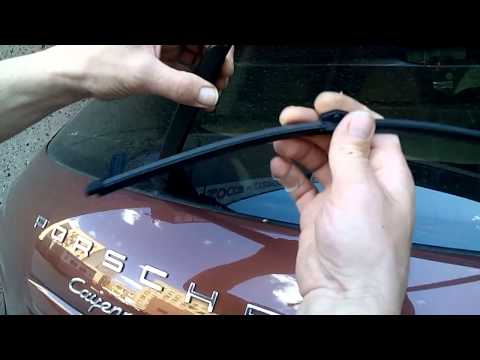
Today's steps will show you how to remove and replace the rear wiper or rear windshield wiper on a Porsche Cayenne. First, move to the back of the ve…
Other guides you may be interested in
|
How to Reset the Tire Pressure Light on a MG ZS?
On the instrument cluster of the MG ZS, the tire pressure light that appears can be reset by inflating the tires to the correct pressure: this value will be indicated on the sticker attached to the driver's door pillar. Once the tires have been properly inflated, you can turn on the instrument cluster and navigate through the menu until you find the option that indicates tire pressure: if this screen shows the new values, the light will turn off; otherwise, you will need to drive for a few miles so that the sensors can read the new values and turn off the light afterward. by ScegliAuto More videos
|
|
For advertising on this site Write to info@scegliauto.com
ScegliAuto is not responsible for any inaccuracy of the data in the lists. To report any inaccuracy or your business (if you own the business in question), please write to info@scegliauto.com
Number of seconds to generate the page: 0.017
(c) ScegliAuto 2026 - info@scegliauto.com - Privacy policy VAT number: IT01247470535 |
