
|
Do it yourself
| |||
| ||||


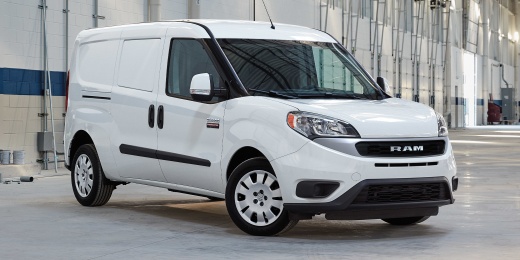
How to reset the service light on the RAM Promaster City
Model: RAM Promaster City
MK 1
- Years 2015-2022
Today we will see how to reset the service light, related to the car's maintenance, of the RAM Promaster City independently. We remind you that these steps should be performed only after carrying out the maintenance. To reset the light, we must turn on the instrument panel and hold down the CAR button, located on the central dashboard, for the entire duration of the update. When the kilometers to the next maintenance appear on the display, release the button and complete the reset procedure of the service light by restarting the instrument panel. In case the reset is not successful, it will be necessary to go to an authorized workshop to perform a computerized diagnosis.
Posted on 3 October 2025 by ScegliAuto
Video tutorial
Related tutorials
RAM Promaster City
(2015-2022 /
MK 1)
From the dashboard of the RAM Promaster City, you can completely clear the Service light that appears by inserting the ignition key into the ignition…

RAM Promaster City
(2015-2022 /
MK 1)
If some devices in our RAM ProMaster City van have suddenly stopped working, we can first check the status of the corresponding fuses whose diagrams …

RAM Promaster City
(2015-2022 /
MK 1)
If you want to find the box containing all the fuses of the cabin of your RAM Promaster City, then all you have to do is pay attention to the steps d…
Other guides you may be interested in
|
How to Bleed the Clutch on a Renault Clio?
To bleed the clutch on a Renault Clio, open the bonnet to access the components located in the engine bay: here, you will need to undo the screws that secure the battery in its housing, the intake manifold, and the coolant reservoir. This will allow you to locate the pipe through which the brake fluid flows: by inserting the other end of the pipe into a container, you can press the clutch pedal to expel all the fluid until it fills the container. by ScegliAuto More videos
|
|
For advertising on this site Write to info@scegliauto.com
ScegliAuto is not responsible for any inaccuracy of the data in the lists. To report any inaccuracy or your business (if you own the business in question), please write to info@scegliauto.com
Number of seconds to generate the page: 0.556
(c) ScegliAuto 2026 - info@scegliauto.com - Privacy policy VAT number: IT01247470535 |
