
|
Do it yourself
| |||
| ||||


How to reset 2016 RAM 2500 oil warning light
Model: RAM 2500
MK 4, DS, DJ, D2
- Years 2009-2019
In this new mini guide concerning the world of the RAM 2500 (year 2016) we will describe a very simple and effective method that will allow you to follow the manual reset of the oil warning light in a few seconds. First you have to start the instrument panel (the engine must not be turned on) and use the directional arrows located on the left area of the steering wheel to navigate the menu. As soon as the item relating to the remaining life of the oil is displayed, keep the "OK" button pressed and release it as soon as the reset is not completed. Finally, turn off the picture and you are done.
Posted on 9 June 2022 by ScegliAuto
Video tutorial
Related tutorials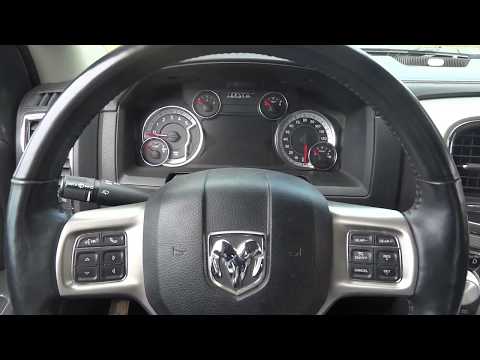
RAM 2500
(2009-2019 /
MK 4, DS, DJ, D2)
The oil warning light can be easily reset via the RAM 2500 on-board computer. To do this, we must first switch on the instrument cluster by pressing …
RAM 2500
(2019-2026 /
MK 5, DT)
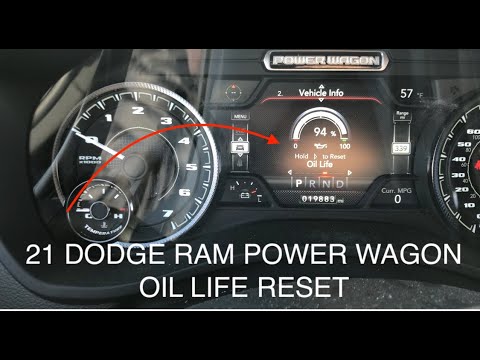
Manually resetting the Dodge RAM 2500 engine oil change light is really very simple and the whole procedure takes a few seconds to complete even if y…

RAM 2500
(2009-2019 /
MK 4, DS, DJ, D2)
Resetting the oil change light on the 2016 Dodge RAM 2500 is really simple and takes seconds. For this reason it is an operation that can be performe…
Other guides you may be interested in
|
How to Remove the Right Door Panel on a Renault Clio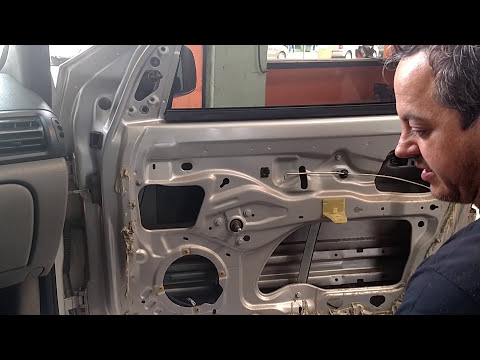
In this video, we will see how to remove the passenger side door panel on a Renault Clio. To start, unscrew the securing screws on the side of the door panel with a screwdriver. Pry around the internal handle of the door with a lever and remove it along with the speaker grille. Unscrew the securing screws located in the handle and remove all the plastics on the panel. Use a lever to detach the panel from the door and disconnect any power cables. Once the panel is free from obstacles, pull it away with your hands. by ScegliAuto More videos
|
|
For advertising on this site Write to info@scegliauto.com
ScegliAuto is not responsible for any inaccuracy of the data in the lists. To report any inaccuracy or your business (if you own the business in question), please write to info@scegliauto.com
Number of seconds to generate the page: 0.090
(c) ScegliAuto 2026 - info@scegliauto.com - Privacy policy VAT number: IT01247470535 |
