
|
Do it yourself
| |||
| ||||


|
Video tutorial
On a Ram 1500 with Rock Star II wheels, the star-shaped inserts had all peeled and chipped. Our YouTuber decided to do a nice job by removing them, cleaning them thoroughly, and then plastidipping them with a plastic paint, which can be found on Amazon for about $20.30, painting them a beautiful bronze color that stands out splendidly against the black wheels, giving a very personal touch to the vehicle. After spraying a primer to prepare the base for our stars, we see that the spraying technique is very good, as it prevents paint drips by not spraying too much, preferring to apply multiple thin coats if necessary. Once they are thoroughly dry, they can be reattached to the wheel covers with a stunning decorative effect and at a very minimal cost.
Updated on 12 June 2026 by ScegliAuto
Related tutorials
RAM 1500
(2019-2026 /
MK 5, DT)
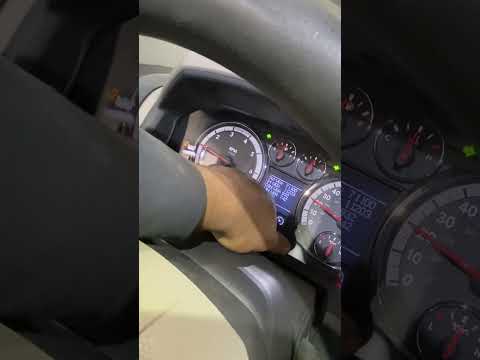
To reset the TPMS light on the Ram 1500, turn on the ignition without starting the engine and use the controls on the steering wheel to access the on…
RAM 1500
(2009-2019 /
DS, DJ, MK 4)
If the TPMS light illuminates on the instrument cluster of your 2012 RAM 1500, follow these simple steps to reset it manually. First, enter the vehic…

RAM 1500
(2009-2019 /
DS, DJ, MK 4)
To replace the rear shock absorber on the Ram 1500, lift the vehicle so that the rear wheels are not in contact with the ground. At this point, loose…
Other guides you may be interested in |
How to Reset the AdBlue Warning Light on a Peugeot Boxer
To reset the AdBlue system on a 2018 Peugeot Boxer, follow these steps: Start the engine and ensure the vehicle is parked in a well-ventilated area. Locate the "MENU" button on the dashboard or steering wheel controls. Press and hold the "MENU" button until the menu options appear on the display. Use the arrow buttons or scroll wheel to access the "Vehicle Settings" or "Settings" menu. Select the "AdBlue" or "AdBlue System" option. Look for the "Recharge" or "Reset" option in the AdBlue menu. Once you find the reset option, select it and confirm your choice when prompted. The system will be reset, and a confirmation message may appear on the display. Turn off the engine and wait a few seconds. Restart the engine and check that the AdBlue system has been reset. by ScegliAuto More videos
|
|
For advertising on this site Write to info@scegliauto.com
ScegliAuto is not responsible for any inaccuracy of the data in the lists. To report any inaccuracy or your business (if you own the business in question), please write to info@scegliauto.com
Number of seconds to generate the page: 0.022
(c) ScegliAuto 2026 - info@scegliauto.com - Privacy policy VAT number: IT01247470535 |
