
|
Do it yourself
| |||
| ||||


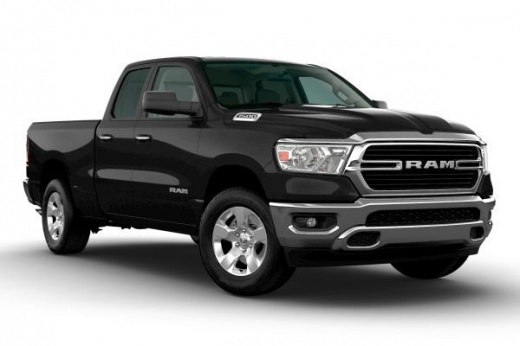
How to Reset the TPMS Light on a Ram 1500
Model: RAM 1500
- Years 2019-2026
Video tutorial
Detailed instructions - To reset the TPMS light on the Ram 1500, turn on the ignition without starting the engine and use the controls on the steering wheel to access the onboard computer menu. Scroll to the section dedicated to tire pressure and check the values displayed. Ensure that all tires are inflated to the correct pressure indicated by the manufacturer. After adjusting the pressure, drive the vehicle for a few minutes at a moderate speed: the TPMS system will automatically detect the new values, and the light will turn off when all pressures are correct. If necessary, turn the ignition off and back on to update the system and verify that the warning is no longer present on the dashboard display.
Posted on 8 October 2026 by ScegliAuto
Related tutorials
RAM 1500
(2009-2019 /
DS, MK 4, DJ)
If the TPMS light illuminates on the instrument cluster of your 2012 RAM 1500, follow these simple steps to reset it manually. First, enter the vehic…
RAM 1500
(2019-2026 /
DT, MK 5)
If you have just changed the oil in your new RAM 1500 and don't know how to manually reset the oil warning light, don't worry. In this guide, you wil…
RAM 1500
(2009-2019 /
DS, MK 4, DJ)
The procedure to manually reset the engine oil change light on a Dodge RAM 1500 (2012) is very simple and can be done independently. Just follow thes…
Other guides you may be interested in
|
How to Set the Time and Date on a Citroen C3 Picasso
Setting the time and date on a Citroen C3 Picasso is very straightforward. First, turn on the vehicle and press the Menu button on the radio to access the car settings. Press the arrow button to scroll through the menu and select the "TIME" option. Set the hours and press the OK button. Next, adjust the minutes. Once completed, proceed to set the date. Select the "DATE" option and use the same buttons to set the date. Finally, switch off the instrument panel and restart it to verify the new time and date settings. by ScegliAuto More videos
|
|
For advertising on this site Write to info@scegliauto.com
ScegliAuto is not responsible for any inaccuracy of the data in the lists. To report any inaccuracy or your business (if you own the business in question), please write to info@scegliauto.com
Number of seconds to generate the page: 0.111
(c) ScegliAuto 2026 - info@scegliauto.com - Privacy policy VAT number: IT01247470535 |
