
|
Do it yourself
| |||
| ||||


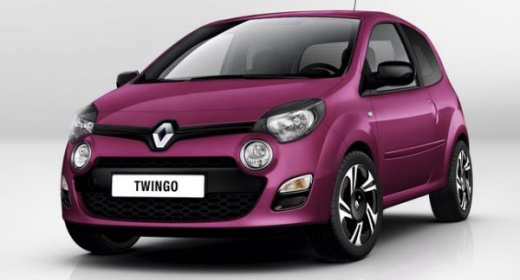
How to Enter the Radio Code on a Renault Twingo
Model: Renault Twingo
Twingo 2
- Years:
2007, 2008, 2009, 2010, 2011, 2012, 2013, 2014
Video tutorial
In this video, learn how to enter the radio code after removing the battery or replacing the stereo on a Renault Twingo. This is a very simple operation: enter the vehicle, switch on the ignition (if necessary), and press the power button on the radio. Enter the numeric code provided and press button 6 to confirm the entry. Check for confirmation of the maintenance on the radio display. Finally, test the radio's correct operation. Always remember to make changes to the onboard computer with the vehicle stationary and switched off.
Updated on 2 March 2026 by ScegliAuto
Related tutorials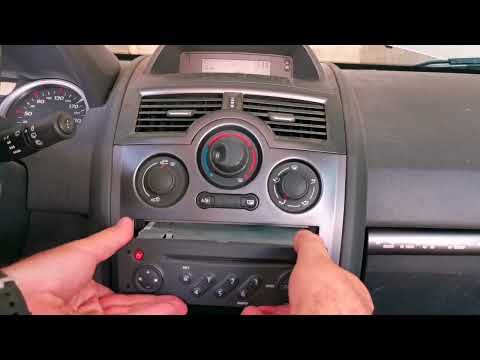
Renault Twingo
(1993-2007 /
Twingo 1)
In this tutorial, you will learn how to find and enter the radio unlock code in the Renault Twingo, an extremely simple and quick operation to perfor…
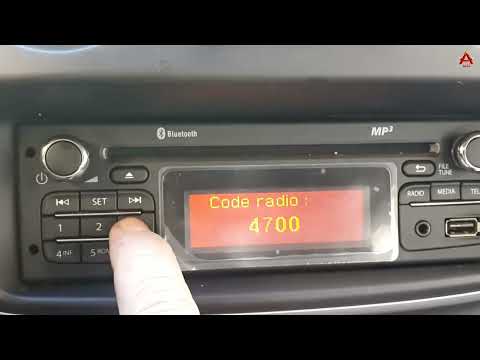
Renault Twingo
(2014-2024 /
Twingo III, Twingo 3)
In this tutorial, you will see how to enter the radio unlock code in a Renault Kangoo, a very simple and quick operation to perform, for example, aft…
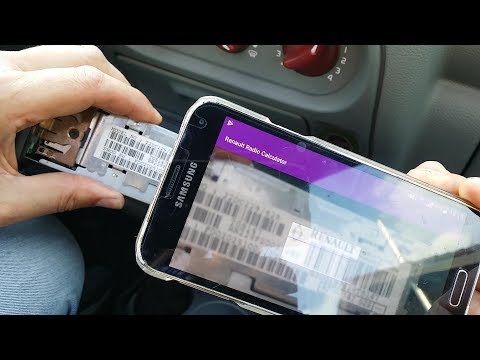
Renault Twingo
(1993-2007 /
Twingo 1)
To unlock the radio on a Renault Twingo, insert the specific U-shaped keys into the holes on the radio's fascia. This will allow the device to be ext…
Other guides you may be interested in
|
Frequently Asked QuestionsHow to Reset the TPMS Light on the 2014 Toyota Yaris
Resetting the TPMS light, which relates to tyre pressure, is a simple and quick task that can be done independently on the 2014 Toyota Yaris. To reset the light, turn on the ignition and press the RESET button located under the dashboard on the driver's side. While holding the button down, you can access the reset function and wait a few seconds before releasing the button. Once the ignition is restarted, the light will turn off. If the light does not reset, you may need to perform the reset using a scanner and OBD port at a garage. by ScegliAuto More videos
|
|
For advertising on this site Write to info@scegliauto.com
ScegliAuto is not responsible for any inaccuracy of the data in the lists. To report any inaccuracy or your business (if you own the business in question), please write to info@scegliauto.com
Number of seconds to generate the page: 0.068
(c) ScegliAuto 2026 - info@scegliauto.com - Privacy policy VAT number: IT01247470535 |
