
|
Do it yourself
| |||
| ||||


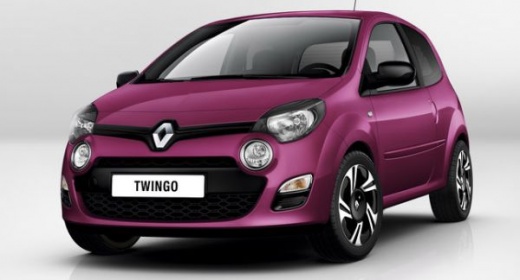
How to Check Trip Information on a Renault Twingo II
Model: Renault Twingo
Twingo 2
- Years:
2007, 2008, 2009, 2010, 2011, 2012, 2013, 2014
Video tutorial
Let's see how to check trip information on the onboard computer of a Renault Twingo II: the process is very simple and is controlled entirely via the lever located on the right side of the steering wheel, at the top of which you will find a button. Simply press it to scroll through the screens. The display on the dashboard, located between the speedometer and the rev counter, will show various information related to your trip. You can view the miles travelled since your last reset, the total miles driven by the vehicle, the instant speed, and the fuel level. Other data you can find by scrolling through the screens include average fuel consumption (usually expressed in litres/100 miles), instant fuel consumption, estimated range, and travel time.
Posted on 12 May 2026 by ScegliAuto
Related tutorials
…

Renault Twingo
(2014-2024 /
Twingo III, Twingo 3)
This tutorial shows you how to reset the service light on a Renault Twingo, a very simple and quick operation to perform only after completing all sc…

Renault Twingo
(2014-2024 /
Twingo III, Twingo 3)
In this tutorial we can see how to reset the service in the Renault Twingo, an extremely simple and quick operation, to be carried out only once all …
Other guides you may be interested in
|
How to Reset the Tyre Pressure Warning Light on the Jeep Renegade?
To reset the tyre pressure warning light on the Jeep Renegade, inflate the tyres until they reach the recommended pressure: this value is indicated on the sticker attached to the driver’s door pillar. Once the tyres are properly inflated, navigate through the menu that appears on the instrument cluster until you find the tyre pressure option. At this point, press and hold the OK button on the right side of the steering wheel to make the warning light disappear. by ScegliAuto More videos
|
|
For advertising on this site Write to info@scegliauto.com
ScegliAuto is not responsible for any inaccuracy of the data in the lists. To report any inaccuracy or your business (if you own the business in question), please write to info@scegliauto.com
Number of seconds to generate the page: 0.045
(c) ScegliAuto 2026 - info@scegliauto.com - Privacy policy VAT number: IT01247470535 |
