
|
Do it yourself
| |||
| ||||


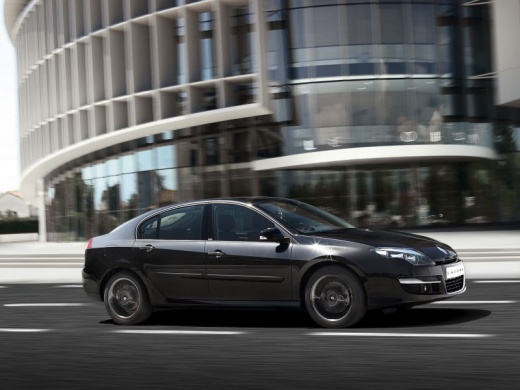
How to Reset the Service Light on a Renault Laguna
Model: Renault Laguna
MK III, X91, Laguna III, MK 3, Laguna 3
- Years:
2007, 2008, 2009, 2010, 2011, 2012, 2013, 2014, 2015
Video tutorial
This video shows how to reset the service light on a Renault Laguna. Get in the vehicle, turn on the instrument cluster without starting the engine. Use the buttons on the wiper control (right side) to scroll through the display menu until you reach "service" or "maintenance interval". Hold down the selection button until the mileage starts flashing, then release and press again until the new interval appears. Turn off and restart the instrument cluster to confirm the procedure was successful.
Posted on 22 March 2026 by ScegliAuto
Related tutorials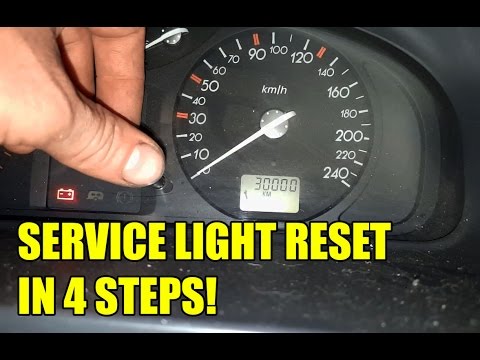
Renault Laguna
(2001-2007 /
MK 2, X74, Laguna 2)
In this video tutorial, you will learn how to reset the service light for routine maintenance on a Renault Laguna. First, get inside the vehicle and …

Renault Laguna
(2007-2015 /
MK III, X91, Laguna III, MK 3, Laguna 3)
When the service light on your car illuminates, it means it's time for a service. If you prefer to opt for a DIY maintenance approach, you also need …

Renault Laguna
(2001-2007 /
MK 2, X74, Laguna 2)
.. In today's video, we can see how to reset the service light on a Renault Laguna, second generation model. So, let's start the reset.. …
Other guides you may be interested in
|
Where are the fuses located on the Renault Laguna?
On the Renault Laguna, the fuses are located inside the fuse boxes installed in the vehicle: in this car model, you will find two boxes for containing the fuses. The first is in the fuse box on the left side of the dashboard, accessible by opening the driver's door: here you will find the fuses for the windscreen wipers, fog lights, horn, etc. The second box is located on the right side of the engine compartment: here you will find the fuses for the dipped headlights, radiator fan, alternator, etc. by ScegliAuto More videos
|
|
For advertising on this site Write to info@scegliauto.com
ScegliAuto is not responsible for any inaccuracy of the data in the lists. To report any inaccuracy or your business (if you own the business in question), please write to info@scegliauto.com
Number of seconds to generate the page: 0.032
(c) ScegliAuto 2026 - info@scegliauto.com - Privacy policy VAT number: IT01247470535 |
