
|
Do it yourself
| |||
| ||||


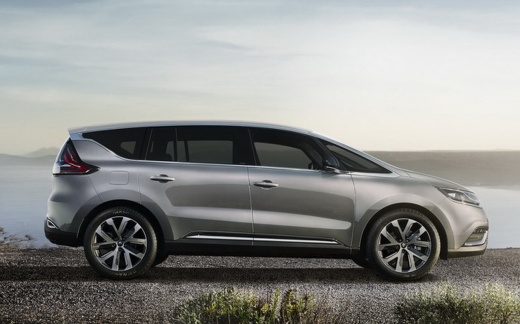
How to Program the Key for the Renault Espace
Model: Renault Espace
MK 5
- Years:
2015, 2016, 2017, 2018, 2019, 2020, 2021, 2022
Video tutorial
These brief and simple steps will illustrate how to program the key or ignition card for the Renault Espace. To perform the programming, it is necessary to use a specific programming tool, such as the OBDSTAR in this case; connect the tool to the control unit to carry out the programming, having the second key to be programmed with you, as shown in the video. The guided procedure will allow you to complete the programming operation, finally disconnecting the tool and verifying the key's functionality.
Posted on 12 May 2026 by ScegliAuto
Related tutorials
Renault Espace
(2002-2014 /
MK 4)
Locating the OBD port of your 2010 Renault Espace is really simple and you just need to follow the steps described in this new mini guide aimed at yo…

Renault Espace
(2015-2022 /
MK 5)
To adjust the external wing mirrors on a Renault Espace, insert the ignition key into the ignition switch to turn on the instrument panel. Once power…

Renault Espace
(2015-2022 /
MK 5)
In the following guide aimed at all of you who own a fifth series Renault Espace, we will help you find the OBD port quickly and safely. First of all…
Other guides you may be interested in
|
How to Reset the Tyre Pressure Warning Light on a Kia Rio?
The tyre pressure warning light displayed on the instrument cluster of the Kia Rio can be reset by inflating the tyres until they reach the recommended pressure value: this value is indicated on the sticker affixed to the driver's door pillar. Once all tyres have been inflated to the recommended pressure, turn on the ignition to check that the light has disappeared: if it is still present, it may be necessary to drive for a few miles, allowing the sensors to work and thus turning off the light. by ScegliAuto More videos
|
|
For advertising on this site Write to info@scegliauto.com
ScegliAuto is not responsible for any inaccuracy of the data in the lists. To report any inaccuracy or your business (if you own the business in question), please write to info@scegliauto.com
Number of seconds to generate the page: 0.075
(c) ScegliAuto 2026 - info@scegliauto.com - Privacy policy VAT number: IT01247470535 |
