
|
Do it yourself
| |||
| ||||


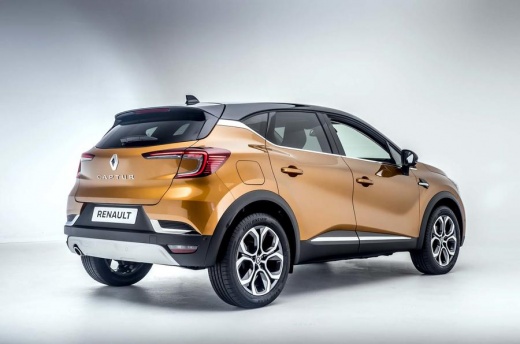
How to Disable the Speed Camera Alert on the Renault Captur
Model: Renault Captur
MK 2
- Years:
2019, 2020, 2021, 2022, 2023, 2024, 2025, 2026
Video tutorial
What is referred to in the video as "display risk areas" is the speed camera database function built into the system. Disabling it will silence only the audio alerts, but it will not eliminate the safety function that visually indicates checkpoints. It’s a great compromise for those who find the "beep" excessively intrusive. Start the car and go to the multimedia system, press "settings", select "driving assistance", and within this, select "comfort". Here you will find the option: "display risk areas". This is the setting that controls the audio alerts for speed cameras. To disable this function, simply uncheck the box.
Posted on 23 May 2026 by ScegliAuto
Related tutorials
Renault Captur
(2019-2026 /
MK 2)
If the welcome sound of your Renault Captur annoys you rather than relaxing you, you can easily disable it. Get in the car and close all four doors. …

Renault Captur
(2019-2026 /
MK 2)
Today we will explain how to deactivate the speed limit sound on a Renault Captur vehicle. To perform this simple operation, we must turn on the inst…
Renault Captur
(2019-2026 /
MK 2)
To disable the lock sound on the Renault Captur, enter the cabin and press the settings button located in the central menu. Then, select "Car Configu…
Other guides you may be interested in |
Frequently Asked QuestionsHow to Reset the Tyre Pressure Warning Light on the Jeep Renegade?
To reset the tyre pressure warning light on the Jeep Renegade, inflate the tyres until they reach the recommended pressure: this value is indicated on the sticker attached to the driver’s door pillar. Once the tyres are properly inflated, navigate through the menu that appears on the instrument cluster until you find the tyre pressure option. At this point, press and hold the OK button on the right side of the steering wheel to make the warning light disappear. by ScegliAuto More videos
|
|
For advertising on this site Write to info@scegliauto.com
ScegliAuto is not responsible for any inaccuracy of the data in the lists. To report any inaccuracy or your business (if you own the business in question), please write to info@scegliauto.com
Number of seconds to generate the page: 0.012
(c) ScegliAuto 2026 - info@scegliauto.com - Privacy policy VAT number: IT01247470535 |
