
|
Do it yourself
| |||
| ||||


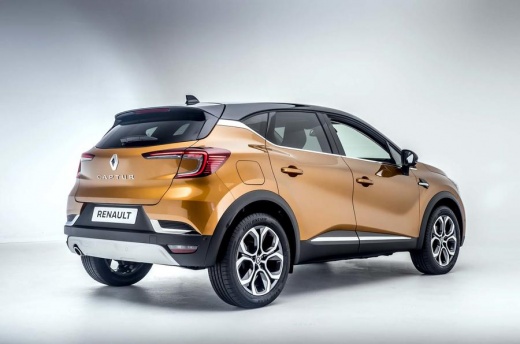
How to Disable the Welcome Sound on the Renault Captur
Model: Renault Captur
MK 2
- Years:
2019, 2020, 2021, 2022, 2023, 2024, 2025, 2026
Video tutorial
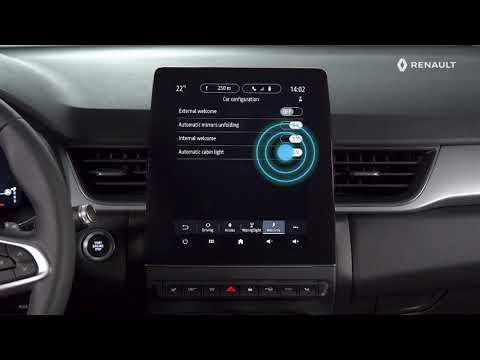
If the welcome sound of your Renault Captur annoys you rather than relaxing you, you can easily disable it. Get in the car and close all four doors. Turn the key to the ON position and on the dashboard screen, go to "settings"/car configuration/welcome. The third option says: "welcome with sound signal": simply set it to "off" and from now on, your Renault Captur will no longer bother you with its sound signal, which especially early in the morning could put you in a bad mood.
Updated on 26 May 2026 by ScegliAuto
Related tutorials
Renault Captur
(2019-2026 /
MK 2)
In this video, you will learn how to fully customise the multimedia screen of the onboard computer in your Renault Captur: select the menu: settings …
Renault Captur
(2019-2026 /
MK 2)
This video shows how to personalise the settings on a Renault Captur: from the central screen, select settings/vehicle/vehicle configuration to acces…

Renault Captur
(2019-2026 /
MK 2)
Today we will explain how to deactivate the speed limit sound on a Renault Captur vehicle. To perform this simple operation, we must turn on the inst…
Other guides you may be interested in
|
Frequently Asked QuestionsHow to Reset the Tyre Pressure Warning Light on the Jeep Renegade?
To reset the tyre pressure warning light on the Jeep Renegade, inflate the tyres until they reach the recommended pressure: this value is indicated on the sticker attached to the driver’s door pillar. Once the tyres are properly inflated, navigate through the menu that appears on the instrument cluster until you find the tyre pressure option. At this point, press and hold the OK button on the right side of the steering wheel to make the warning light disappear. by ScegliAuto More videos
|
|
For advertising on this site Write to info@scegliauto.com
ScegliAuto is not responsible for any inaccuracy of the data in the lists. To report any inaccuracy or your business (if you own the business in question), please write to info@scegliauto.com
Number of seconds to generate the page: 0.073
(c) ScegliAuto 2026 - info@scegliauto.com - Privacy policy VAT number: IT01247470535 |
