
|
Do it yourself
| |||
| ||||


How to Reset the Service Light on the Renault Clio 3
Model: Renault Clio
Clio 3, MK 3, Clio III
- Years:
2005, 2006, 2007, 2008, 2009, 2010, 2011, 2012, 2013
Video tutorial
To complete the procedure for resetting the service light on your Renault Clio third series, follow the steps described in this guide. First, get in the car and turn on the instrument cluster, then locate the two small buttons at the end of the right lever on the steering wheel. At this point, press the lower button multiple times until the service light appears on the display. Next, hold down the upper button until the display stops flashing, and the reset procedure is successfully completed.
Posted on 4 June 2026 by ScegliAuto
Related tutorials
Renault Clio
(2019-2026 /
Clio V, Clio 5)
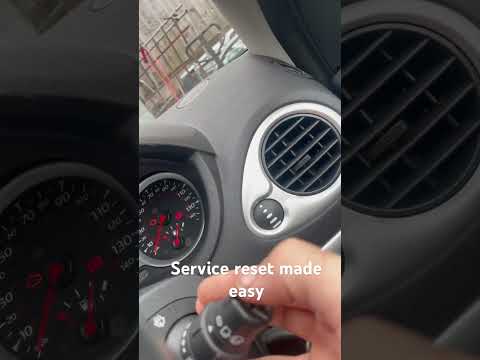
If you own a 2022 Renault Clio and are wondering how to manually reset the service light, simply follow the steps described below. First, turn on the…
Renault Clio
(2005-2013 /
Clio 3, MK 3, Clio III)
When the service light illuminates on the instrument cluster of your Renault Clio Mk3 (2005-2013) despite having already completed the service, you m…

Renault Clio
(2005-2013 /
Clio 3, MK 3, Clio III)
In today’s video, we will see how to reset the service light on a Renault Clio, model produced from 2005 to 2013. Start the reset procedure by turnin…
Other guides you may be interested in
|
Where are the fuses located on the Renault Laguna?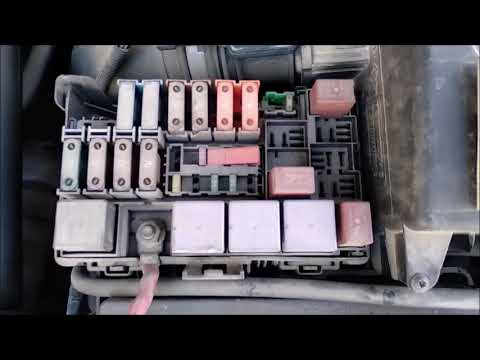
On the Renault Laguna, the fuses are located inside the fuse boxes installed in the vehicle: in this car model, you will find two boxes for containing the fuses. The first is in the fuse box on the left side of the dashboard, accessible by opening the driver's door: here you will find the fuses for the windscreen wipers, fog lights, horn, etc. The second box is located on the right side of the engine compartment: here you will find the fuses for the dipped headlights, radiator fan, alternator, etc. by ScegliAuto More videos
|
|
For advertising on this site Write to info@scegliauto.com
ScegliAuto is not responsible for any inaccuracy of the data in the lists. To report any inaccuracy or your business (if you own the business in question), please write to info@scegliauto.com
Number of seconds to generate the page: 0.069
(c) ScegliAuto 2026 - info@scegliauto.com - Privacy policy VAT number: IT01247470535 |
