
|
Do it yourself
| |||
| ||||


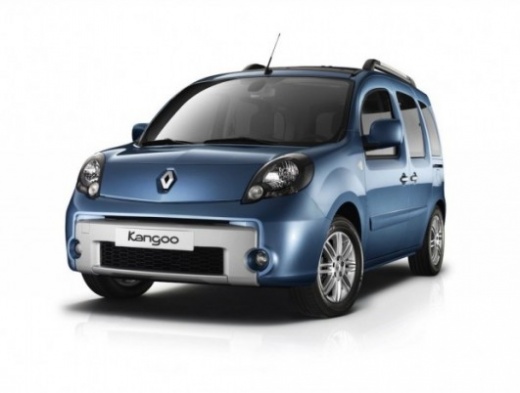
How to Easily Remove the Rear Light on a Renault Kangoo
Model: Renault Kangoo
- Years:
2007, 2008, 2009, 2010, 2011, 2012, 2013, 2014, 2015, 2016, 2017, 2018
Video tutorial
To remove the rear light on a Renault Kangoo, open the boot lid. On the inside, corresponding to the light, there is a plastic access panel: remove it by prying with a flat screwdriver or with your hands. Inside, you will find the retaining nuts for the light (usually three). Unscrew the nuts with a socket wrench (generally 10 mm). Caution: hold the light with one hand while unscrewing the last nuts to prevent it from falling. Once all the nuts are unscrewed, pull the light outwards. At the back of the light are the electrical connectors: disconnect them by pressing the release tabs. At this point, the light is free. For reassembly, reconnect the connectors, reinsert the light into its housing, screw in the nuts, and close the access panel.
Posted on 13 October 2026 by ScegliAuto
Related tutorials
Renault Kangoo
(2007-2021 /
FW, FC, MK 2)
Let's see how to change the bulbs on the rear light of a Renault Kangoo II up to 2013 (the one shown in the video) because the arrangement of the lig…

Renault Kangoo
(2007-2021 /
FW, FC, MK 2)
Replacing the rear light on a Renault Kangoo is quite simple as it is secured to the car with two easily visible screws. By opening the rear hatch, y…

Renault Kangoo
(2007-2021 /
FW, FC, MK 2)
In this video tutorial we will see how to disassemble and replace the rear taillight of the Renault Kangoo. First, we open the rear tailgate of the t…
Other guides you may be interested in |
How to Set the Date and Time on the Iveco Daily
Today, we will see in this video tutorial how to change the date and time on the Iveco Daily. First, get into the vehicle and turn on the instrument panel; then go to the vehicle settings on the central display, pressing the relevant option for date and time. At this point, press the "set" button located at the top, using the physical arrow buttons to set both the date and time; finally, exit the onboard computer menu to save the changes made! by ScegliAuto More videos
|
|
For advertising on this site Write to info@scegliauto.com
ScegliAuto is not responsible for any inaccuracy of the data in the lists. To report any inaccuracy or your business (if you own the business in question), please write to info@scegliauto.com
Number of seconds to generate the page: 0.014
(c) ScegliAuto 2026 - info@scegliauto.com - Privacy policy VAT number: IT01247470535 |
