
|
Do it yourself
| |||
| ||||


How to disassemble the instrument cluster in Renault Clio?
Model: Renault Clio
MK 3, Clio 3, Clio III
- Years 2005-2013
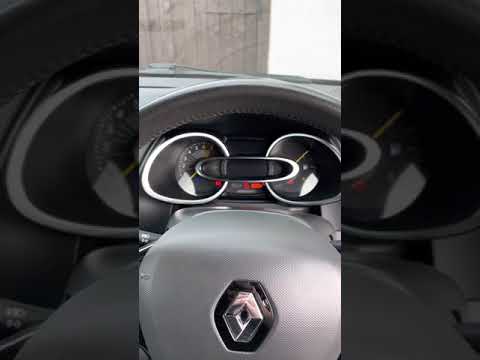
In this tutorial we can see how to disassemble the instrument cluster in the Renault Clio 3, an extremely simple and fast operation. Before proceeding, let's make sure that the key is not inserted in order to operate safely. Let's start by disengaging the external frame by levering along the upper edge, preferably using a plastic spatula so as not to leave any marks. Once this is done, we grab the instrument panel, pull it towards us and extract it from the housing. At this point all that remains is to disconnect the rear connector and mount any spare part.
Posted on 14 January 2023 by ScegliAuto
Video tutorial
Related tutorials
Renault Clio
(2012-2019 /
Clio IV, Clio 4, MK 4)
Today we will see the main instructions that will allow us to disassemble and replace the instrument panel of the Renault Clio dashboard. First of al…
Renault Clio
(2012-2019 /
Clio IV, Clio 4, MK 4)
Today's guide will show us the procedure that will allow us to disassemble and replace the instrument panel of the Renault Clio. First of all, we get…

Renault Clio
(2005-2013 /
MK 3, Clio 3, Clio III)
In this tutorial we can see how to disassemble the instrument panel in the Renault Clio, an extremely simple and fast operation. First of all, make s…
Other guides you may be interested in
|
How to Remove the Original Radio from a Renault Trafic
How to remove the original radio from a Renault Trafic? Follow this video closely to perform the removal: use the original or aftermarket metal keys to detach the stereo, insert the keys into the holes on the plastic cover of the stereo, pull the stereo towards you as shown in the video, and extract the radio while being careful of the various wiring (disconnect the power connectors and the antenna cable). Finally, reinstall the original radio or a generic brand with the appropriate adapter for the input and connector. by ScegliAuto More videos
|

|
For advertising on this site Write to info@scegliauto.com
ScegliAuto is not responsible for any inaccuracy of the data in the lists. To report any inaccuracy or your business (if you own the business in question), please write to info@scegliauto.com
Number of seconds to generate the page: 0.095
(c) ScegliAuto 2026 - info@scegliauto.com - Privacy policy VAT number: IT01247470535 |
