
|
Do it yourself
| |||
| ||||


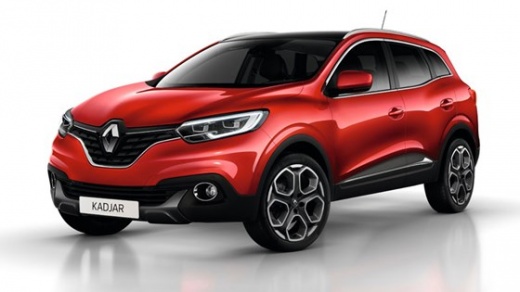
How to reset the oil light on a 2016 Renault Kadjar.
Model: Renault Kadjar
MK 1
- Years 2015-2022
To manually and completely reset the oil light on your Renault Kadjar for free, simply follow these steps. Firstly, insert the key and start the dashboard. Then, use the directional arrow buttons located on the right side of the steering wheel to navigate through the onboard menu. Find the option for oil change and hold down the "OK" button until the light is reset. Finally, all you need to do is turn off the dashboard or start the car engine and drive.
Posted on 25 April 2023 by ScegliAuto
Video tutorial
Related tutorials
Renault Kadjar
(2015-2022 /
MK 1)
In order to reset the tire pressure warning light of the Renault Kadjar, first you will need to inflate the tires until they reach the recommended pr…

Renault Kadjar
(2015-2022 /
MK 1)
To reset the tire pressure warning light on the Renault Kadjar, you need to inflate the tires to the correct pressure value: this value is indicated …

Renault Kadjar
(2015-2022 /
MK 1)
Today's procedure will show us the steps on how to reset the maintenance service light for the oil change of the Renault Kadjar. First of all, we get…
Other guides you may be interested in
|
How to Replace the Rear Door Lock on an Audi A4
First, disconnect the negative cable from the battery. Now, open the door in question and lift the chrome strip at the top. Then, remove all the screws indicated in the video. You can now lift the door panel by pulling it towards you. Disconnect the connectors at the back and remove the panel. Next, you will need to remove the components shown in the video. Also, detach the weatherstrip around the door and the protective sheet. You will also need to remove the window glass by disconnecting all the connectors and bolts. Then, replace the damaged part and retrace the steps described in reverse. by ScegliAuto More videos
|
|
For advertising on this site Write to info@scegliauto.com
ScegliAuto is not responsible for any inaccuracy of the data in the lists. To report any inaccuracy or your business (if you own the business in question), please write to info@scegliauto.com
Number of seconds to generate the page: 0.118
(c) ScegliAuto 2026 - info@scegliauto.com - Privacy policy VAT number: IT01247470535 |
