
|
Do it yourself
| |||
| ||||


How to Remove the Airbag Warning Light on a Renault Clio?
Model: Renault Clio
Clio 3, MK 3, Clio III
- Years:
2005, 2006, 2007, 2008, 2009, 2010, 2011, 2012, 2013
Video tutorial
In this tutorial, you will learn how to remove the airbag warning light on a Renault Clio 3. First, check the type of fault present in the system using one of the various scanners available online. Once you confirm there is no serious damage, switch off the ignition, go underneath the passenger seat, and locate the connector next to the left bracket. In most cases, the problem is caused by a poor connection of this connector, and it will be sufficient to disconnect it, reconnect it, and ensure it is properly seated. Repeat the process for the driver's seat and start the vehicle.
Updated on 4 August 2026 by ScegliAuto
Related tutorials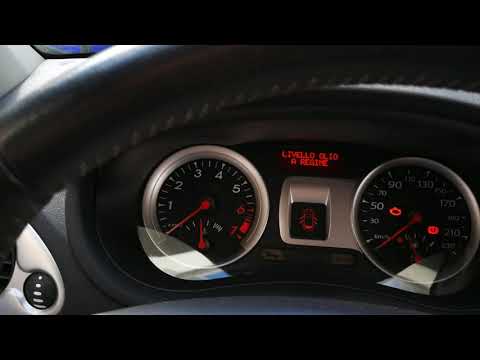
Renault Clio
(2005-2013 /
Clio 3, MK 3, Clio III)
If the spanner warning light has illuminated in your Renault Clio, it means you have reached the service interval in either mileage or time and need …

Renault Clio
(2019-2026 /
Clio V, Clio 5)
You can completely clear the Service light displayed on the Renault Clio's instrument panel by inflating the tyres until they reach the optimal press…

Renault Clio
(2019-2026 /
Clio V, Clio 5)
From the instrument panel of the Renault Clio, you can clear the Service light displayed by inflating the tyres until they reach the recommended pres…
Other guides you may be interested in
|
Frequently Asked QuestionsHow to Activate the Automatic Folding and Unfolding of the Wing Mirrors on the Jeep Compass
Follow these brief instructions to activate the automatic folding and unfolding of the external wing mirrors on the Jeep Compass. First, get inside the vehicle and turn on the ignition; then press the button located beneath the mirror glass adjustment to electrically open the mirror, as shown in the video. Pressing the button in the opposite direction will close the mirrors; by holding the button, the mirrors will open and close automatically! by ScegliAuto More videos
|
|
For advertising on this site Write to info@scegliauto.com
ScegliAuto is not responsible for any inaccuracy of the data in the lists. To report any inaccuracy or your business (if you own the business in question), please write to info@scegliauto.com
Number of seconds to generate the page: 0.023
(c) ScegliAuto 2026 - info@scegliauto.com - Privacy policy VAT number: IT01247470535 |
