
|
Do it yourself
| |||
| ||||


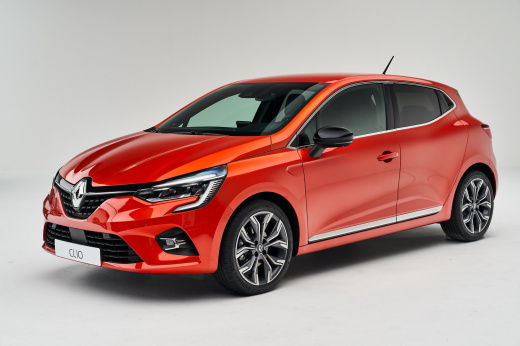
How to customise ambient lighting on the Renault Clio version 5
Model: Renault Clio
Clio V, Clio 5
- Years:
2019, 2020, 2021, 2022, 2023, 2024, 2025, 2026
Video tutorial
Let’s see how to customise the ambient light on the Renault Clio version 5: There are predefined colours based on the selected driving mode; for example, it will be grey for mySense, red for the sport version, and green for the eco version. You can customise the mySense mode from the easyLink screen by pressing "settings", selecting the "vehicle" tab, then choosing "multisense". Select "mySense", then "configure mode", and then "lighting". You will now see various colour options and just need to choose the one you like best. It is also possible to select the areas to illuminate by clicking the respective buttons. You can also adjust the intensity of the lighting. At night, the intensity automatically decreases, and during driving to avoid glare.
Updated on 16 August 2026 by ScegliAuto
Related tutorials
Renault Clio
(2019-2026 /
Clio V, Clio 5)
If it is time to replace the engine air filter of your Renault Clio fifth series, all you need to do is read the following guide carefully and follow…

Renault Clio
(2005-2013 /
Clio 3, MK 3, Clio III)
In this video, see how to repair the cabin fan of a Renault Clio third series. First, disconnect the two battery terminals; then access the inside of…

Renault Clio
(2019-2026 /
Clio V, Clio 5)
To change the battery inside your Renault Clio fifth series key by yourself, follow the procedure described in this new guide. First, take the key an…
Other guides you may be interested in |
How to Remove the Rear Seat of a Hyundai Tucson?
To remove the rear seat of a Hyundai Tucson, follow these steps. Start by moving the front seats to their most forward position to gain space. Next, locate the release lever on the underside of the rear seat, near the floor. Press this lever down while pulling the seat upwards to unlock it from the anchor pins. Once unlocked, tilt the seat upwards and forwards to remove it from its position. Repeat this process for both sides of the rear seat. Be careful of any electrical cables or components that may be connected to the seat during removal. Once the rear seat is removed, the disassembly is complete. by ScegliAuto More videos
|
|
For advertising on this site Write to info@scegliauto.com
ScegliAuto is not responsible for any inaccuracy of the data in the lists. To report any inaccuracy or your business (if you own the business in question), please write to info@scegliauto.com
Number of seconds to generate the page: 0.020
(c) ScegliAuto 2026 - info@scegliauto.com - Privacy policy VAT number: IT01247470535 |
