
|
Do it yourself
| |||
| ||||


Replacement of Rear Discs and Pads
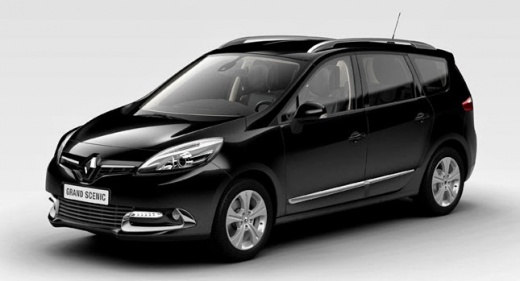
Model: Renault Scenic
Scenic 3, MK 3, MK III, Scenic III
- Years 2009-2015
To replace the rear brake discs, lift the vehicle and remove the rear wheel; then remove the caliper mounting bolts and hang it with a cable or zip tie to the shock absorber spring, ensuring not to pinch the brake line; extract the old pads and remove the caliper bracket; remove the cap applied to the centre of the hub and the disc securing nut located at the centre; then take off the old disc and insert the new one, securing it with the corresponding nut and replacing the cap; clean the disc of protective oil and proceed in reverse order reassembling the bracket, inserting new pads, and reinstalling the caliper.
Updated on 20 February 2026 by ScegliAuto
Video tutorial
Related tutorials
Renault Scenic
(1996-2003 /
)
To replace the rear brake pads on this car model, it is essential to have the appropriate tool to rotate and retract the caliper piston. First, lift …

Renault Scenic
(2003-2009 /
MK 2, Scenic 2)
This video serves to visually show the inside of the EPB (Electronic Parking Brake) unit as the handbrake is activated and deactivated. The video foc…

Renault Scenic
(2009-2015 /
Scenic 3, MK 3, MK III, Scenic III)
In this video, we will see how to change the rear brake pads on the Renault Scenic III: we open the brake fluid reservoir cap, then lift the rear of …
Other guides you may be interested in
|
How to Adjust the Brightness of the Instrument Cluster on a Peugeot 3008?
To adjust the brightness of the instrument cluster on a Peugeot 3008, you need to turn on the ignition and access the settings via the menu located in the central area of the dashboard. In the screen that appears, select the "Display Configuration" option: now, by selecting the "Brightness" option, you can adjust it using the dedicated slider that will appear on the screen. The adjustment should be made with the headlights on as well as with them off. Once the adjustment is complete, you can turn off the instrument cluster. by ScegliAuto More videos
|
|
For advertising on this site Write to info@scegliauto.com
ScegliAuto is not responsible for any inaccuracy of the data in the lists. To report any inaccuracy or your business (if you own the business in question), please write to info@scegliauto.com
Number of seconds to generate the page: 0.280
(c) ScegliAuto 2026 - info@scegliauto.com - Privacy policy VAT number: IT01247470535 |
