
|
Do it yourself
| |||
| ||||


How to Replace the Battery in the Renault Twingo I Remote
Model: Renault Twingo
Twingo 1
- Years:
1993, 1994, 1995, 1996, 1997, 1998, 1999, 2000, 2001, 2002, 2003, 2004
Video tutorial
In this video, learn how to remove the battery from the remote of the 1998 Renault Twingo I to replace it: first, remove the ring, then take the key and lever off the cover to separate the two halves and expose the battery, which is held in place by a metal clip. Simply remove it and replace it (it is a common CR2032 that can easily be found in any supermarket), ensuring the correct polarity, otherwise it will not work. Now, replace the cover in its small guides, and the job is complete.
Updated on 26 August 2026 by ScegliAuto
Related tutorials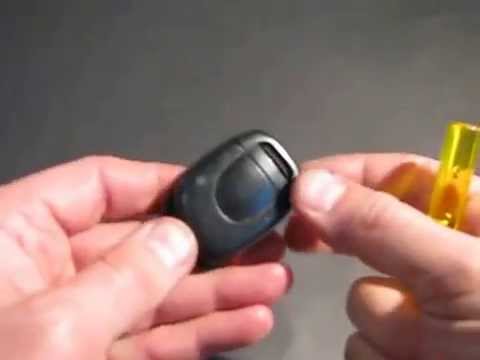
Renault Twingo
(1993-2007 /
Twingo 1)
How to replace the key battery on a Renault Twingo? In this video, see how to properly perform the replacement: take your ignition key and use a scre…

Renault Twingo
(2014-2024 /
Twingo III, Twingo 3)
At some point, you may find that the remote for the Renault Twingo 3 no longer works properly, requiring you to get closer to the car to unlock the d…

Renault Twingo
(2007-2014 /
Twingo 2)
To replace the key fob battery on a Renault Twingo, use a tool to pry open the lower part of the device: this will allow you to completely detach the…
Other guides you may be interested in
|
How to Activate the Automatic Folding and Unfolding of the Wing Mirrors on the Jeep Compass
Follow these brief instructions to activate the automatic folding and unfolding of the external wing mirrors on the Jeep Compass. First, get inside the vehicle and turn on the ignition; then press the button located beneath the mirror glass adjustment to electrically open the mirror, as shown in the video. Pressing the button in the opposite direction will close the mirrors; by holding the button, the mirrors will open and close automatically! by ScegliAuto More videos
|
|
For advertising on this site Write to info@scegliauto.com
ScegliAuto is not responsible for any inaccuracy of the data in the lists. To report any inaccuracy or your business (if you own the business in question), please write to info@scegliauto.com
Number of seconds to generate the page: 0.116
(c) ScegliAuto 2026 - info@scegliauto.com - Privacy policy VAT number: IT01247470535 |
