
|
Do it yourself
| |||
| ||||


Resetting the AdBlue Warning Light on the Renault Master
Model: Renault Master
MK 3
- Years:
2010, 2011, 2012, 2013, 2014, 2015, 2016, 2017, 2018, 2019, 2020, 2021
Video tutorial
In this video tutorial, you will learn how to reset the AdBlue warning light on the Renault Master. First, top up the AdBlue tank by unscrewing the cap; once topped up, get inside the vehicle and connect your diagnostic software to the OBD port, as shown in the video. At this point, follow the guided procedure to reset the AdBlue warning light from the instrument cluster, ensuring it completely resets. Perform this operation whenever the vehicle requires it.
Updated on 21 September 2026 by ScegliAuto
Related tutorials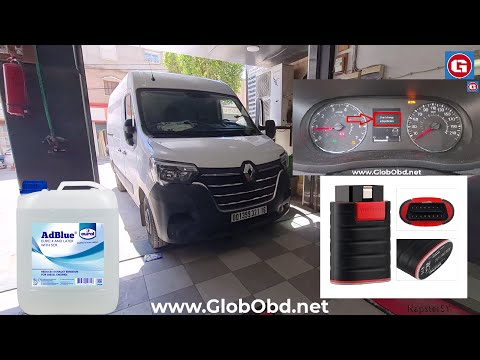
Renault Master
(2010-2023 /
MK 3)
Today's guide will show you how to reset the AdBlue warning light on the Renault Master, as well as on the Renault Clio and Dacia Duster. When you tu…
Renault Master
(2010-2023 /
MK 3)
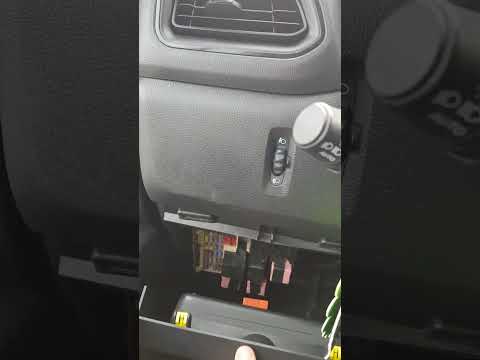
To reset the AdBlue warning light on the Renault Master, first top up the necessary amount of additive liquid into the relevant tank. After topping u…
Renault Master
(2010-2023 /
MK 3)
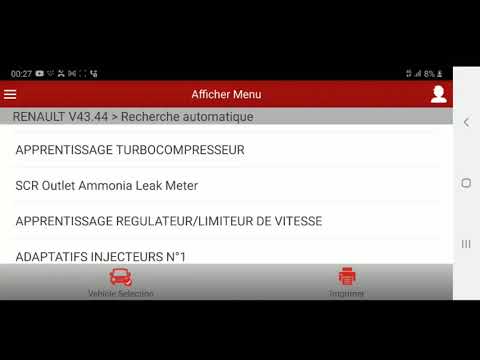
To reset the AdBlue warning light on the Renault Master, first top up the additive fluid to ensure the dedicated tank is full. After the top-up is co…
Other guides you may be interested in
|
Where are the fuses located on the Renault Laguna?
On the Renault Laguna, the fuses are located inside the fuse boxes installed in the vehicle: in this car model, you will find two boxes for containing the fuses. The first is in the fuse box on the left side of the dashboard, accessible by opening the driver's door: here you will find the fuses for the windscreen wipers, fog lights, horn, etc. The second box is located on the right side of the engine compartment: here you will find the fuses for the dipped headlights, radiator fan, alternator, etc. by ScegliAuto More videos
|
|
For advertising on this site Write to info@scegliauto.com
ScegliAuto is not responsible for any inaccuracy of the data in the lists. To report any inaccuracy or your business (if you own the business in question), please write to info@scegliauto.com
Number of seconds to generate the page: 0.025
(c) ScegliAuto 2026 - info@scegliauto.com - Privacy policy VAT number: IT01247470535 |
