
|
Do it yourself
| |||
| ||||



How to Reset the Service Light on the 2015 Renault Captur
Model: Renault Captur
MK 1
- Years:
2013, 2014, 2015, 2016, 2017, 2018, 2019
Video tutorial
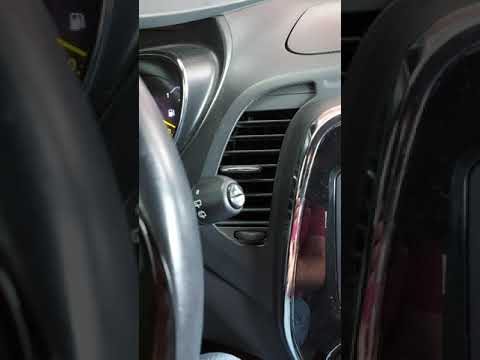
This video shows step-by-step the procedure to reset the maintenance light on the 2015 Renault Captur. The procedure is very simple and takes little time to perform. To reset this light, first start the instrument cluster without starting the engine, then use the up arrow button to navigate the menu to the service interval option; once located, press and hold the up arrow button for about 20 seconds. After 20 seconds, the maintenance light will be reset and the display will show the message 'service in 30,000 km/12 months'. At this point, you can restart the instrument cluster.
Updated on 4 October 2026 by ScegliAuto
Related tutorials
Renault Captur
(2013-2019 /
MK 1)
To ensure that the Service light on the instrument panel of the Renault Captur disappears, you need to turn on the ignition and then press the button…
Renault Captur
(2013-2019 /
MK 1)
To reset the Service light on a Renault Captur, turn on the instrument panel to navigate through the menu: press the button located at the bottom of …

Renault Captur
(2013-2019 /
MK 1)
From the display of the Renault Captur, you can completely clear the Service light by turning on the instrument panel to access the menu. To do this,…
ScegliAuto offers an extensive international collection of automotive tutorials available in 12 languages. Each guide combines instructional videos with original explanations written by experienced human editors, along with information about the car models covered.
Other guides you may be interested in
|
How to Change the Key Fob Battery for an Audi Q8?
To change the key fob battery for an Audi Q8, start by locating the release button on the key. Press this button to extract the emergency mechanical key. With the mechanical key removed, find the visible slot in the key body. Use a small flathead screwdriver or a plastic tool to gently pry open the key fob shell. Once the shell is open, you will find the battery, usually a CR2032. Note the orientation of the battery before removing it. Remove the old battery and insert the new one, ensuring the positive (+) side is oriented correctly. Reassemble the key fob shell, making sure all pieces fit together snugly. Finally, reinsert the mechanical key into its housing. Your key should now function properly with the new battery. by ScegliAuto More videos
|
|
For advertising on this site Write to info@scegliauto.com
ScegliAuto is not responsible for any inaccuracy of the data in the lists. To report any inaccuracy or your business (if you own the business in question), please write to info@scegliauto.com
Number of seconds to generate the page: 0.073
(c) ScegliAuto 2026 - info@scegliauto.com - Privacy policy - About us VAT number: IT01247470535 |
